Release r202624
What's new
This release contains the following new features:
New JSON methods
Reading and writing JSON was already possible in AutomatorScript using the
parse and
stringify functions. JavaScript
uses JSON.parse and
JSON.stringify for this. To
bring AutomatorScript closer to JavaScript, we have added these methods and
deprecated the old functions, which remain available for existing scripts.
JSON.rawJSON and
JSON.isRawJSON are now
available as well. This makes it easier to use familiar JavaScript examples in
your integrations.
Compared with the old parse and stringify functions, the new methods add a
reviver function to transform values while parsing, a replacer to select or
transform values when writing JSON, and an indentation option for readable
output. The examples below show how to use these additions.
JSON.parse
Converts JSON text into an object:
const text = '{"name":"Alice","tags":["a","b"]}';
const json = JSON.parse(text);
log(json.name); // => Alice
As mentioned, it now also accepts a so-called reviver function, which can
transform values while they are being read. For example, an incoming order may
contain a delivery date as text, while the package needs a Date to work with:
const text = '{"order":"ORD-4711","deliveryDate":"2026-09-22T09:00:00Z"}';
const order = JSON.parse(text, (key, value) => {
  return key === "deliveryDate" ? new Date(value) : value;
});

log(order.deliveryDate.toISOString());
// => 2026-09-22T09:00:00.000Z
JSON.stringify
Converts a value into JSON text:
const stringified = JSON.stringify({ name: "Alice", tags: ["a", "b"] });
log(stringified); // => {"name":"Alice","tags":["a","b"]}
Its optional replacer argument lets you choose which properties to include, or use a function to transform them. For example, to send only the public fields of a request to another system:
const request = {
  id: 4711,
  subject: "Printer is offline",
  internalComment: "Waiting for the supplier",
};

const text = JSON.stringify(request, ["id", "subject"]);
log(text);
// => {"id":4711,"subject":"Printer is offline"}
The third argument adds indentation to make the result easier to read. Pass null as the second argument when
you do not need a replacer:
const text = JSON.stringify({ name: "Alice" }, null, 2);
log(text);
// => {
//      "name": "Alice"
//    }
JSON.rawJSON
Allows a JSON primitive (like a number, string, boolean or null) to be included without first converting it to a
JavaScript value. This is a fairly
specialized feature, useful when the exact precision or formatting of a number must be preserved.
For example, an external ID can contain more digits than JavaScript's Number type can represent precisely:
const regular = JSON.stringify({ externalId: 12345678901234567890 });
log(regular);
// => {"externalId":12345678901234567000}

const raw = JSON.stringify({ externalId: JSON.rawJSON("12345678901234567890") });
log(raw);
// => {"externalId":12345678901234567890}
The regular number has already lost precision before it is stringified, resulting in a different ID.
Passing the digits as text to JSON.rawJSON preserves the original number in the generated JSON.
JSON.isRawJSON
Can be used to check whether a value was created with JSON.rawJSON.
const value = JSON.rawJSON("123");
log(JSON.isRawJSON(value)); // => true
log(JSON.isRawJSON(123)); // => false
Migrating
There are two important differences to keep in mind when replacing parse and stringify in existing scripts:
JSON.parsethrows an error for invalid JSON. The oldparsefunction returns an empty object instead.JSON.stringifydoes not apply the oldstringifyfunction's automatic cleanup. Properties namedcontent, properties starting with_ortw, and buffers are no longer silently omitted. Select or transform the values you want to send explicitly.
Adding and reordering libraries
We have made several improvements to make managing a package's libraries quicker and easier.
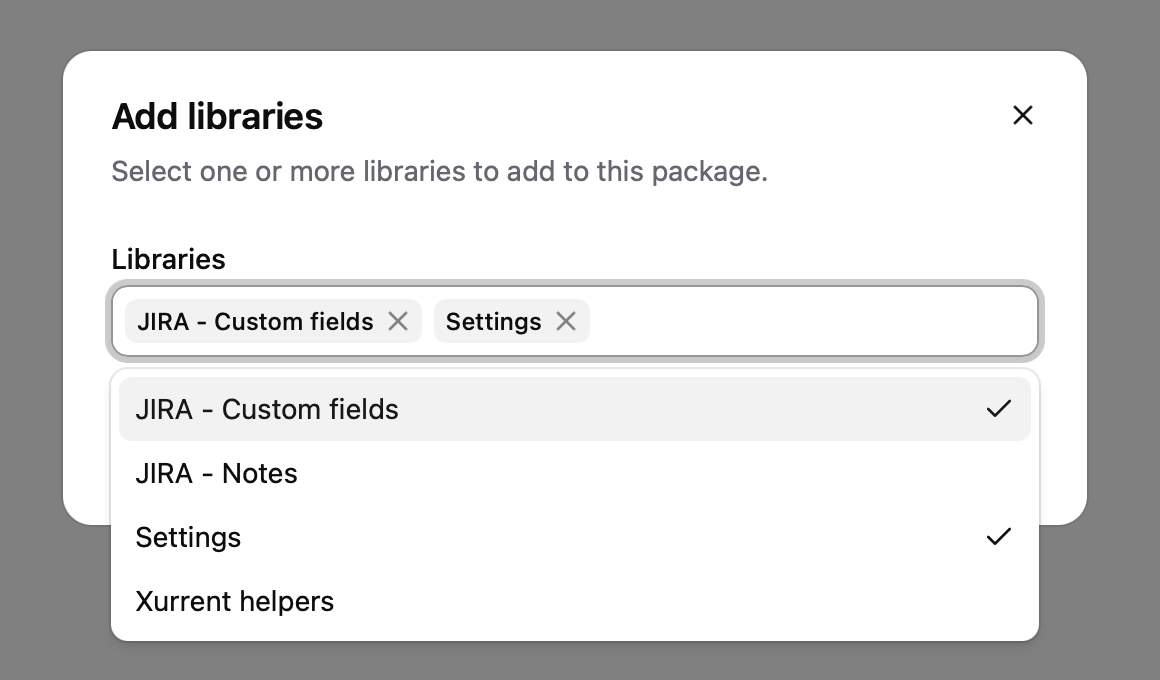
The Add libraries dialog in the package settings now lets you select several libraries at once. Previously, each library had to be added separately.
Libraries can also be reordered by dragging the handle next to their name. This replaces the up and down buttons and makes it easier to move a library across a longer list.
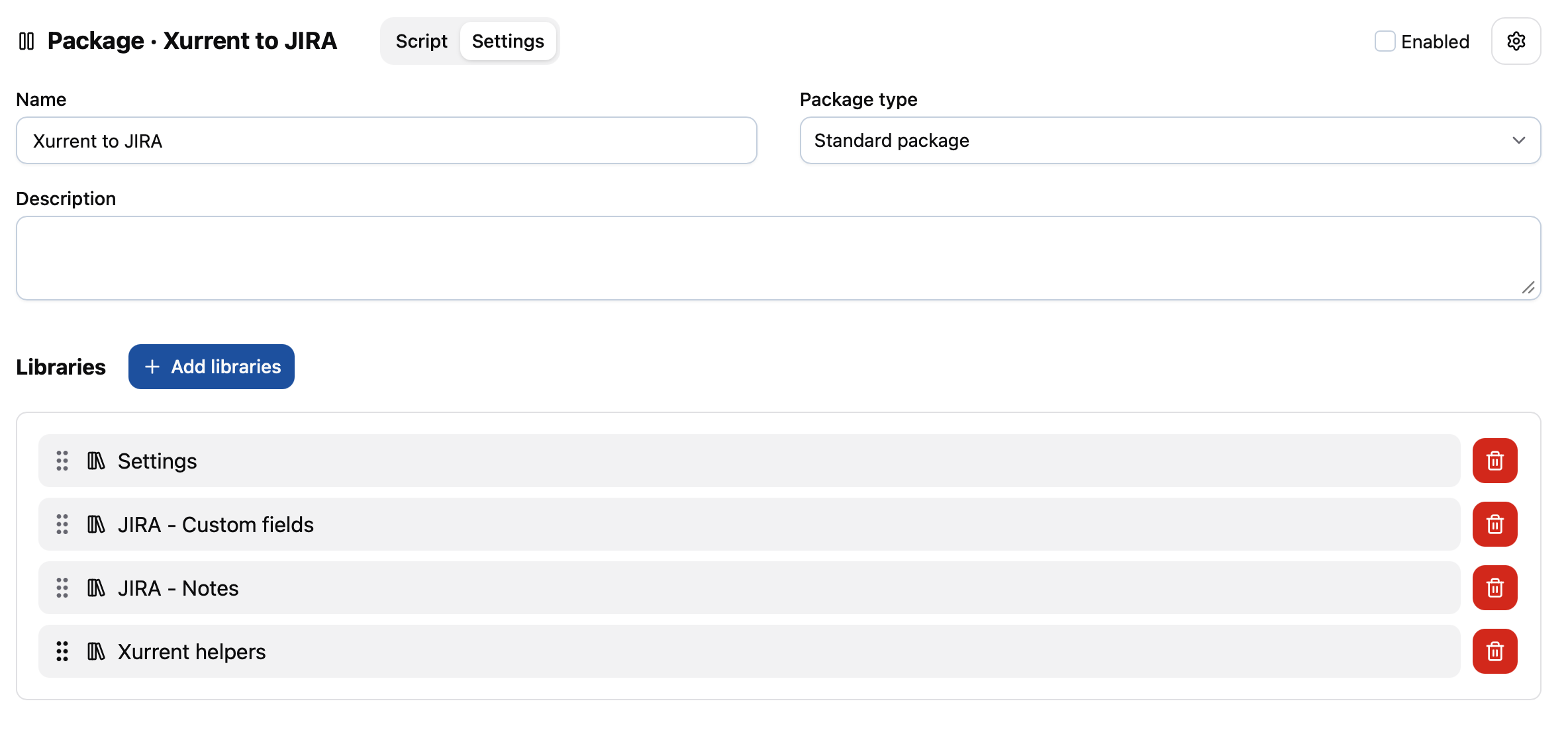
Removing a library from the list no longer opens a confirmation dialog. Like other changes to the package settings, the removal takes effect when you save.
Managing webhook events
Similar to adding libraries, the Add trigger dialog now lets you select several webhook events for the same account at once.
Each event is shown on its own row in the package's Triggers list, with its own remove button. Previously, events for the same account were grouped together on one row, which made it difficult to see which ones were present and impossible to remove individual events.
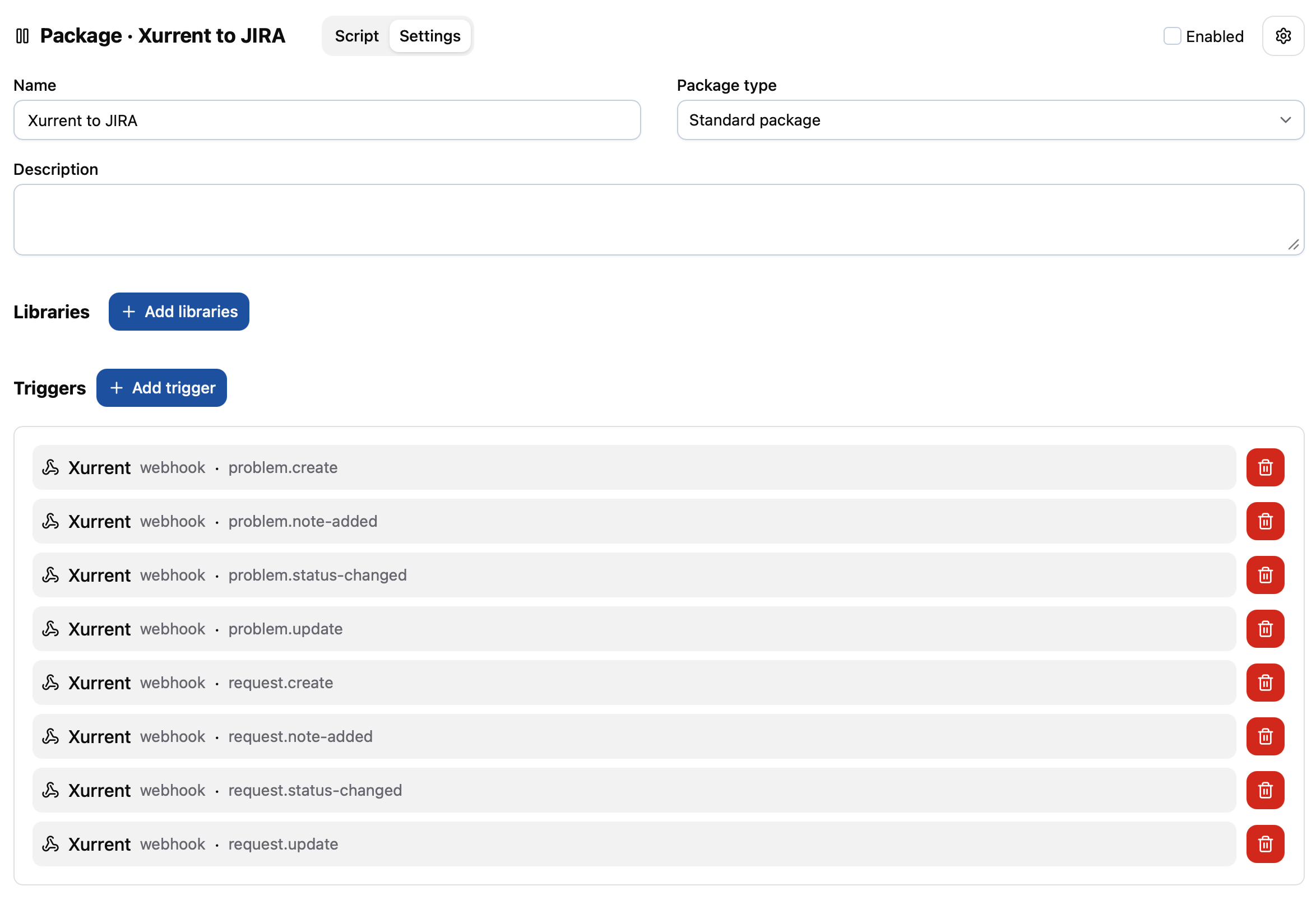
As with libraries, removing a trigger no longer opens a confirmation dialog. The removal takes effect when you save the package settings.
Other changes
This release contains the following smaller changes:
- API calls blocked by AWS Web Application Firewall (WAF) now produce a warning in the package log with the waiting time and retry number. An error is logged when retries are exhausted. This makes it easier to see why an execution is waiting. See Auto-retry for API calls.
- Package log searches are now limited to 500 characters. If you enter or paste a longer query, the search box
shows the current length and asks you to shorten it before searching. This also applies when using
/to search for selected log text. - New templates now default to the Comment style renderer instead of the renderer that processes all template styles. This makes the default more predictable when template content contains syntax used by another renderer. Existing templates keep their selected renderer.
Timeline
The expected deployment dates for this release are:
| Environment | Date |
|---|---|
| Demo | Friday, September 18 |
| Production | Tuesday, September 22 |
The deployment to the Production environment will be conducted outside of office hours (Central European Time Zone), usually between 8 and 10pm.