Release r202621
What's new
This release contains the following new features:
Improved package log panel
The package log panel has been rebuilt. The underlying storage medium has been changed to a dedicated search database, which makes searching log lines a lot faster and adds several new ways to filter them.
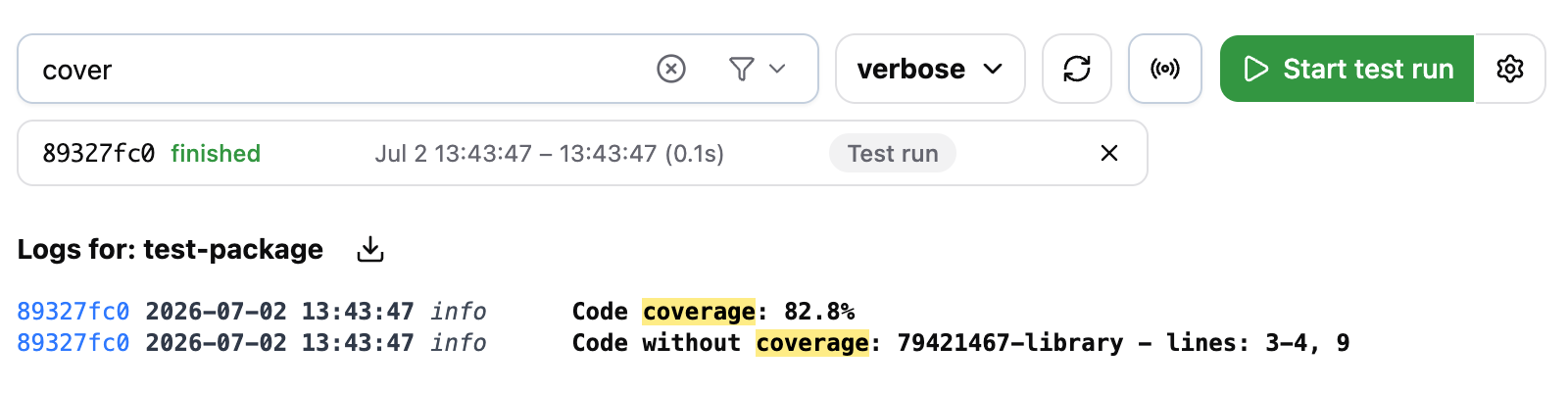
Besides to the existing search box and minimum log level, it has now also become possible to filter on:
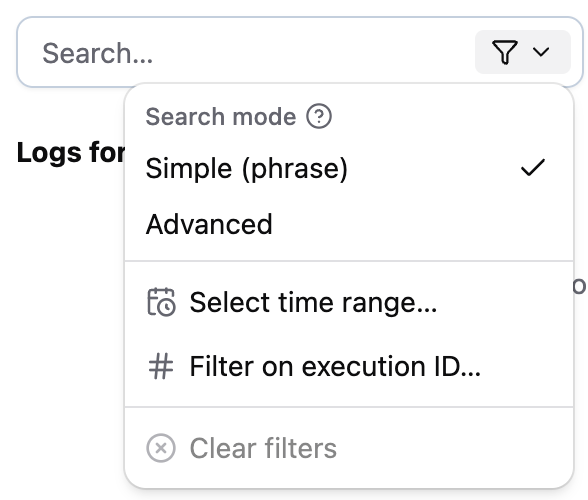
- Time range: show only the lines within an absolute time range, such as "between 2026-08-21 14:32:00 and 2026-08-21 14:35:00", or a relative one, such as "last 10 minutes".
- Execution ID: show only the lines of one or more package executions.
The filter suggests the 25 most recent executions that match your current search, with their status, start time, duration and trigger type. An execution ID can also be typed in directly.
The search box comes in two modes.
- In Simple (phrase) mode, which is the default, you search for phrases: words have to appear next to each other, in
the order you typed them. For example,
created requestfinds "Created request 4711", but not "Created the request" or "request created". This makes it ideal for searching log lines produced by a specificlogfunction call. - In Advanced mode, the words you type are no longer required to appear next to each other, and you can use operators
such as
|and-, to specify if either word must occur, or a word must not occur. For example(error | warning) -timeoutwill find log lines containing either the worderrororwarning, but not the wordtimeout.
The new filter options and search modes are accessible via the filter criteria dropdown in the search box.
In addition to these new search options, we have added several useful features to the log panel:
- Older lines are now loaded automatically while you scroll up.
- A button has been added to follow and append new lines as they arrive (also known as "tailing").
- Following new log lines activates automatically when you start a test run and stops after the test run completes.
- The lines that are shown in the panel can be downloaded as a JSON file or copied to the clipboard.
- When you select text in the log panel and press
/, the search box is automatically filled with the selected text.
See Logs in the documentation for a complete description of the new panel and more detailed explanation of how log lines are matched against your search query.
Log lines are kept for 90 days, after which they are deleted automatically.
After the deployment to Production, the existing log lines will first be migrated to the search database. The new log panel becomes available once that migration has completed, which may take a day or two.
Other changes
This release contains one smaller change:
- The automator function
isUserTokenValidInAccounthas been removed. This function was originally designed to validate Xurrent personal API tokens, but Xurrent already dropped support for these tokens several years ago, and the function no longer worked since then. Most packages were migrated away already. The few remaining packages still referencing this function have now also been adjusted.
Timeline
The expected deployment dates for this release are:
| Environment | Date |
|---|---|
| Demo | Friday, August 28 |
| Production | Tuesday, September 1 |
The deployment to the Production environment will be conducted outside of office hours (Central European Time Zone), usually between 8 and 10pm.