Release r202616
What's new
This release contains the following new features:
- Go to item
- Format package code with Prettier
- Improved JavaScript support
- Improvements to package testing
- Improved UI for sensitive fields
- Warning when rate limited
Go to item
Following the Find in packages dialog, and inspired by the "Go to file" dialog of VSCode,
the new "Go to item" dialog allows you to quickly navigate to any item
in the current environment. Press Ctrl+P (Windows) or Cmd+P (Mac) and start typing to filter the items. Use the
arrow keys to move through the results and press Enter to jump to the selected item.
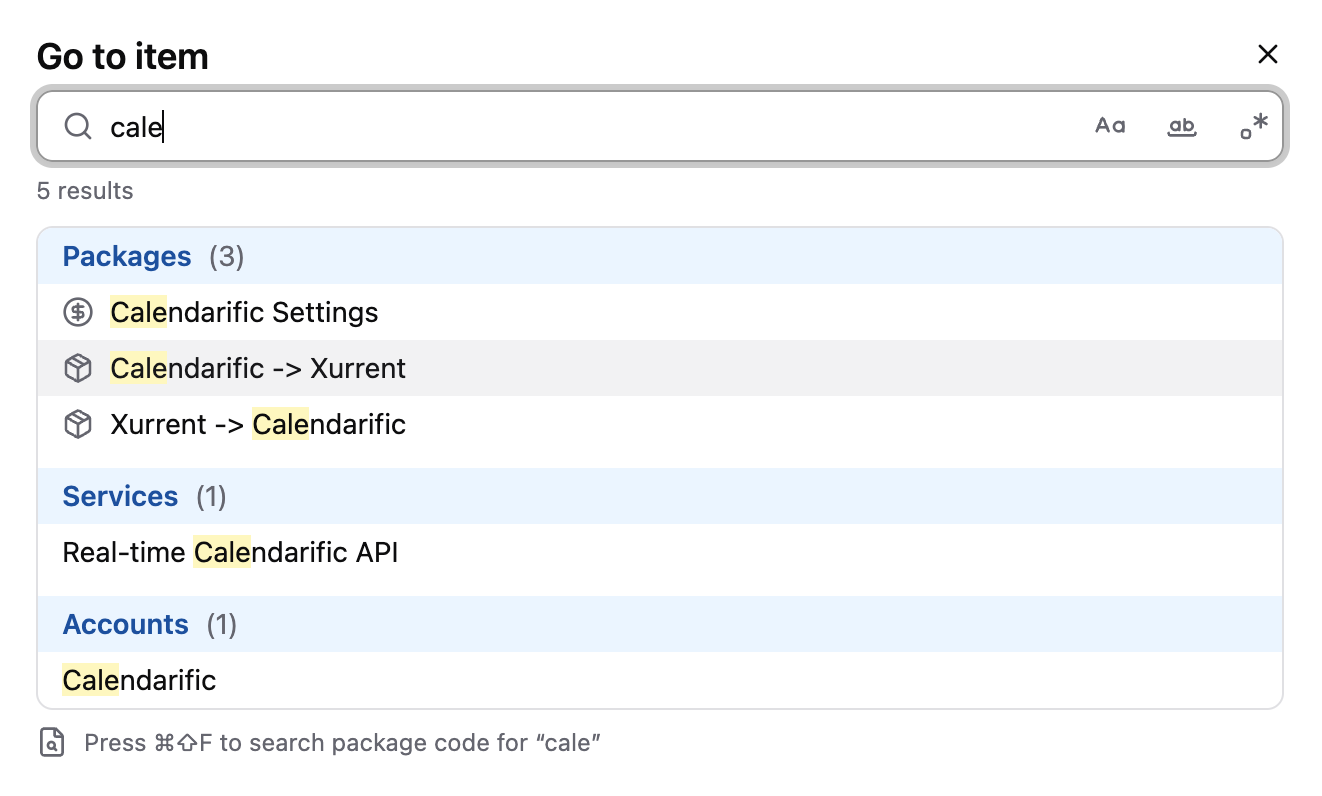
When you leave the search field blank, the dialog shows a list of recently visited items in the environment.
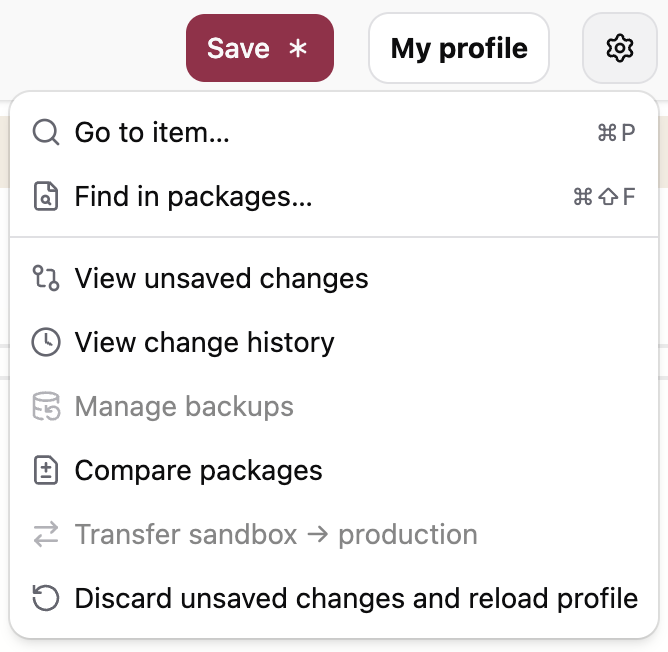
Should you ever forget the shortcut key: both "Go to item" and "Find in packages" have also been added to the actions menu in the top right corner.
Format package code with Prettier
The package editor now formats code with Prettier, the de facto standard code formatter for JavaScript. Prettier is used in two places:
- When pasting code into the editor, the pasted code is automatically formatted.
- The "Format Document" and "Format Selection" actions in the command palette (
F1) now produce properly formatted code. Previously, these actions only applied some very light formatting.
To quickly apply the "Format Document" action, you can also use the shortcut Shift+Alt+F (Windows) or Shift+Option+F (Mac).
Prettier is used with its default configuration and a line length of 100 characters. Configurable formatting options and automatic formatting on save are being considered for a future release.
Improved JavaScript support
To make packages easier to write, both for humans and AI agents, our aim is to support JavaScript as closely as possible. In release r202601 we already brought many modern JavaScript features into the automator, and many subsequent releases contained further support for syntax and built-in objects and methods. This release marks another significant step in closing the gap between AutomatorScript and standard JavaScript.
New methods on built-in objects
The following methods have been added to the built-in object types:
Array: the instance methodsfindLast,findLastIndex,reduceRight,toLocaleString,toReversed,toSorted,toSplicedandwith, as well as the static methodArray.from. The methodstoReversed,toSorted,toSplicedandwithare the immutable counterparts ofreverse,sort,spliceand index assignment: they return a new array instead of modifying the original.MapandSet: theforEachmethod.Date: the static methodsDate.now,Date.parseandDate.UTC.String: thematchAllmethod.
Calling types as functions
Built-in types can now be called as functions to convert a value to that type. This is supported for Boolean,
Date, Error, Number, RegExp and String:
let answer = 42;
let text = String(answer); // "42"
let truthy = Boolean(text); // true
This is particularly useful when the type of a value is not known in advance, for example to safely call string
methods on a value that may be either a string or a number: String(value).match(/.../).
Using String(value) function is the most standard way to convert a value to a string, and preferred over
alternative methods such as value + "" or `${value}`.
Note that calling a type as a function is different from calling the type's constructor function.
For example, new Date() returns a Date object, but (in line with standard JavaScript)
calling Date()
as a function returns a string representing the current time.
Calling Array() and Object() as functions is not supported by AutomatorScript.
Full support for unary and binary operators
All standard JavaScript operators are now supported. Newly added are the exponentiation operator (**), the bitwise
operators (&, |, ^, ~, <<, >> and >>>), the void operator, and the corresponding compound assignment
operators such as **=, |= and >>>=.
Labeled statements
Loops can now be labeled, and break and continue can refer to a label. This makes it possible to break out of an
outer loop from within a nested loop:
OUTER: for (let i = 0; i < 3; i++) {
  for (let j = 0; j < 3; j++) {
    if (i === 1 && j === 1) {
      break OUTER;
    }
    log(`i = ${i}, j = ${j}`);
  }
}
Computed property names
Object literals now support computed property names:
let key = "name";
let obj = { [key]: "automator", [key + "_length"]: 9 };
// { name: "automator", name_length: 9 }
Improvements to package testing
This release contains several improvements to package tests.
New assert_throws function
The new assert_throws function asserts that a piece of code throws
an exception. Previously, this required a hand-written try/catch construction, which could easily produce a false
positive when the code under test did not throw at all.
The thrown error can be verified with an optional matcher: a string (which must equal the error message), a regular expression (which must match the error message), or a function that receives the thrown error:
test("throws an error", () => {
  assert_throws(() => { throw new Error("boom"); });
  assert_throws(() => { throw new Error("boom"); }, "boom");
  assert_throws(() => { throw new Error("boom"); }, /bo+m/);
  assert_throws(
    () => { throw new Error("boom"); },
    (e) => assert_equal(e.message, "boom"),
  );
});
Mocks are automatically reset after each test
Mocks registered with setMock inside a test function are now
automatically removed when the test finishes. Previously, a mock remained active in subsequent tests unless it was
manually cleared, typically with a try/finally construction. Tests are now isolated from each other's mocks by
default, and any manual cleanup code can be removed.
A failing test no longer aborts the package
An uncaught exception inside a test function no longer aborts the entire package execution. Instead, only that test
fails and the remaining tests continue to run, as you would expect from a test framework. In addition, the number of
passed and failed tests is now reported at the end of the test run.
Improved UI for sensitive fields
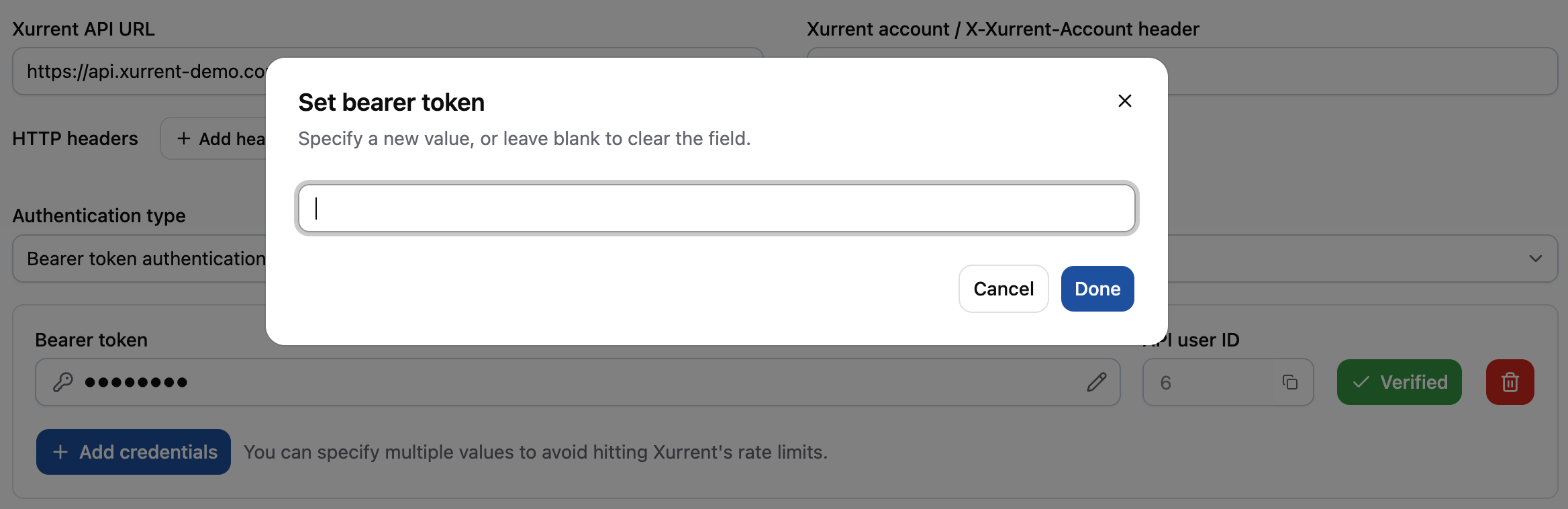
The UI for sensitive fields has been improved. To avoid accidentally changing such a field, the field has been made readonly. To change or clear the value, click it and enter the new value in the dialog that appears.
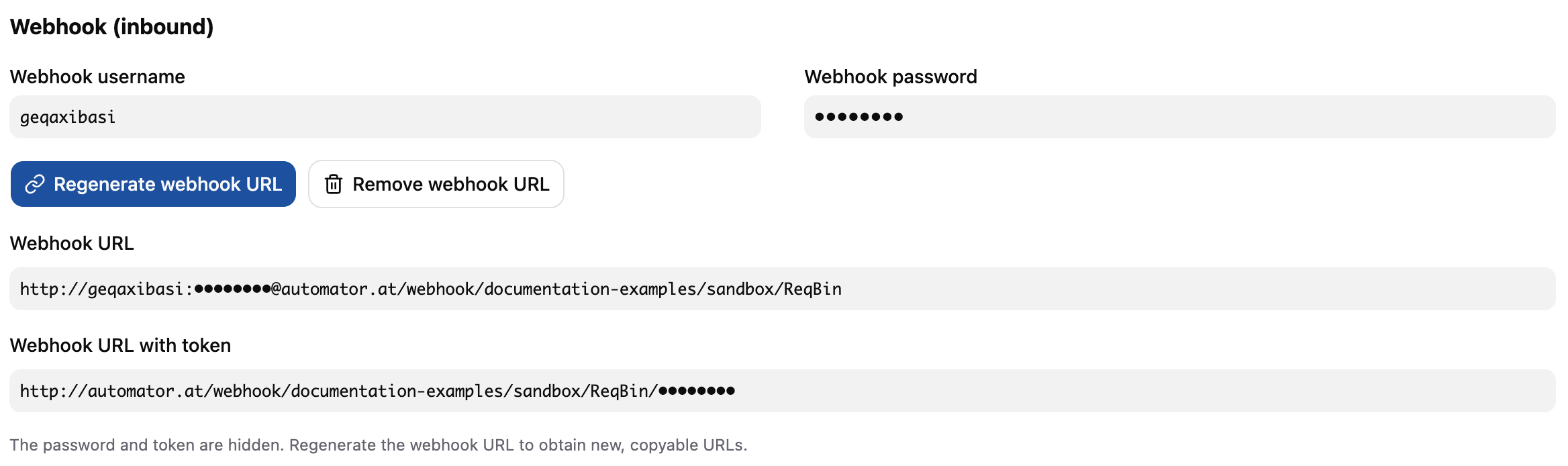
A similar improvement has been made to inbound webhook URLs that are protected with basic authentication. The complete, unmasked URLs are now only shown in the dialog that appears when you (re)generate the webhook URLs and must be copied immediately.
Warning when rate limited
When an outbound HTTP call is delayed because the automator is being rate limited by the remote API, a warning is now shown in the package log. This makes it immediately clear why a package execution appears to be making no progress.

If your packages regularly run into rate limits, consider configuring multiple credentials on the account so that the automator can spread the calls over them.
Other changes
This release contains a number of smaller changes:
- Deprecated functions are now shown with
strikethroughin the package editor. This makes it easy to spot code that uses one of the functions deprecated in previous releases (such as r202614 and r202615) and migrate it to the recommended alternative. - The deprecated Moment.js functions
dates,months,yearsandisDSTShiftedhave been removed. An analysis showed that these functions were not used in any package. Use the standarddate(),month()andyear()getters instead. - The undocumented
strictSSLoption of thehttp_requestfunction has been removed: SSL certificates are now always verified and the automator will not connect to misconfigured servers. ThestrictSSLoption is ignored if it is still passed and a warning shown in the package log. - HTTP headers with an
undefinedvalue are no longer silently removed from outbound requests; they now result in an error. Make sure to omit a header entirely, or only set it when it has a value. - The Xurrent REST and GraphQL model metadata has been refreshed to include all field changes up to June 13, 2026. This affects code completion and field documentation for the corresponding endpoints.
- Fix:
assert_okincorrectly passed for every falsy value exceptnull, so for exampleassert_ok(false)andassert_ok(0)succeeded. It now fails for all falsy values, as intended. Please note that tests that passed because of this bug will now - correctly - be reported as failing. - Fix: a
returnstatement inside aswitchcase incorrectly fell through to the next case instead of exiting the function. - Fix: the code coverage percentage reported at the end of a test run was always 0.0%. It now correctly reports the percentage of library code that is exercised by the tests.
- Fix: when a library was opened via the sidebar entry of a package that uses it, refreshing the browser page opened the library standalone, losing the context of the parent package. That context is now preserved.
Timeline
The expected deployment dates for this release are:
| Environment | Date |
|---|---|
| Demo | Thursday, July 2nd |
| Production | Tuesday, July 7th |
The deployment to the Production environment will be conducted outside of office hours (Central European Time Zone), usually between 8 and 10pm.