Release r202615
What's new
This release contains the following new features:
- Dark mode
- Unsaved changes
- Reviewing changes in the transfer assistant
- New authentication types for HTTP accounts
Dark mode
The automator now supports dark mode. To switch, open the user menu in the top right corner and select your preferred color mode:
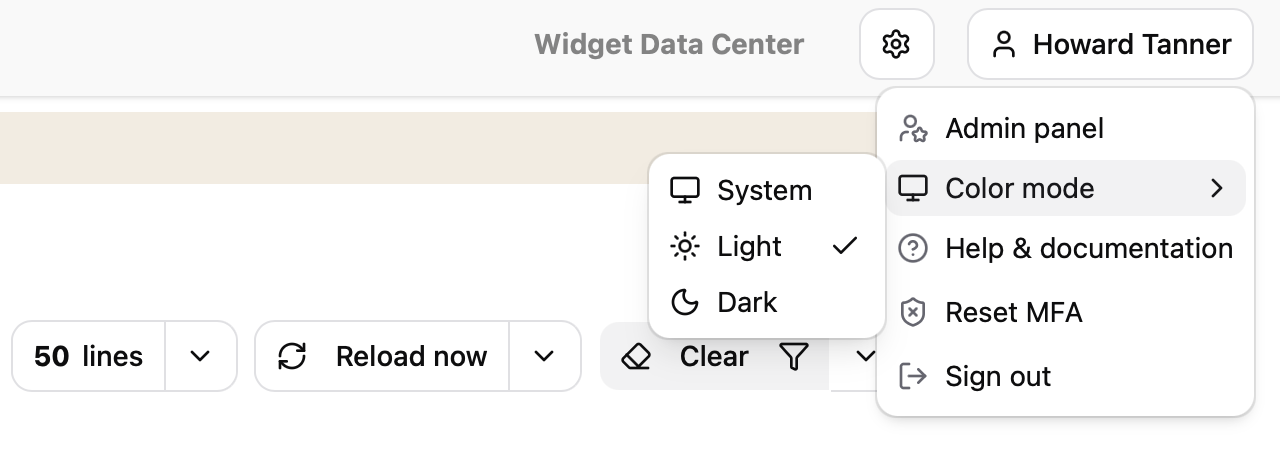
Choose between the light and the dark theme, or select "System" to follow the color scheme configured in your operating system.
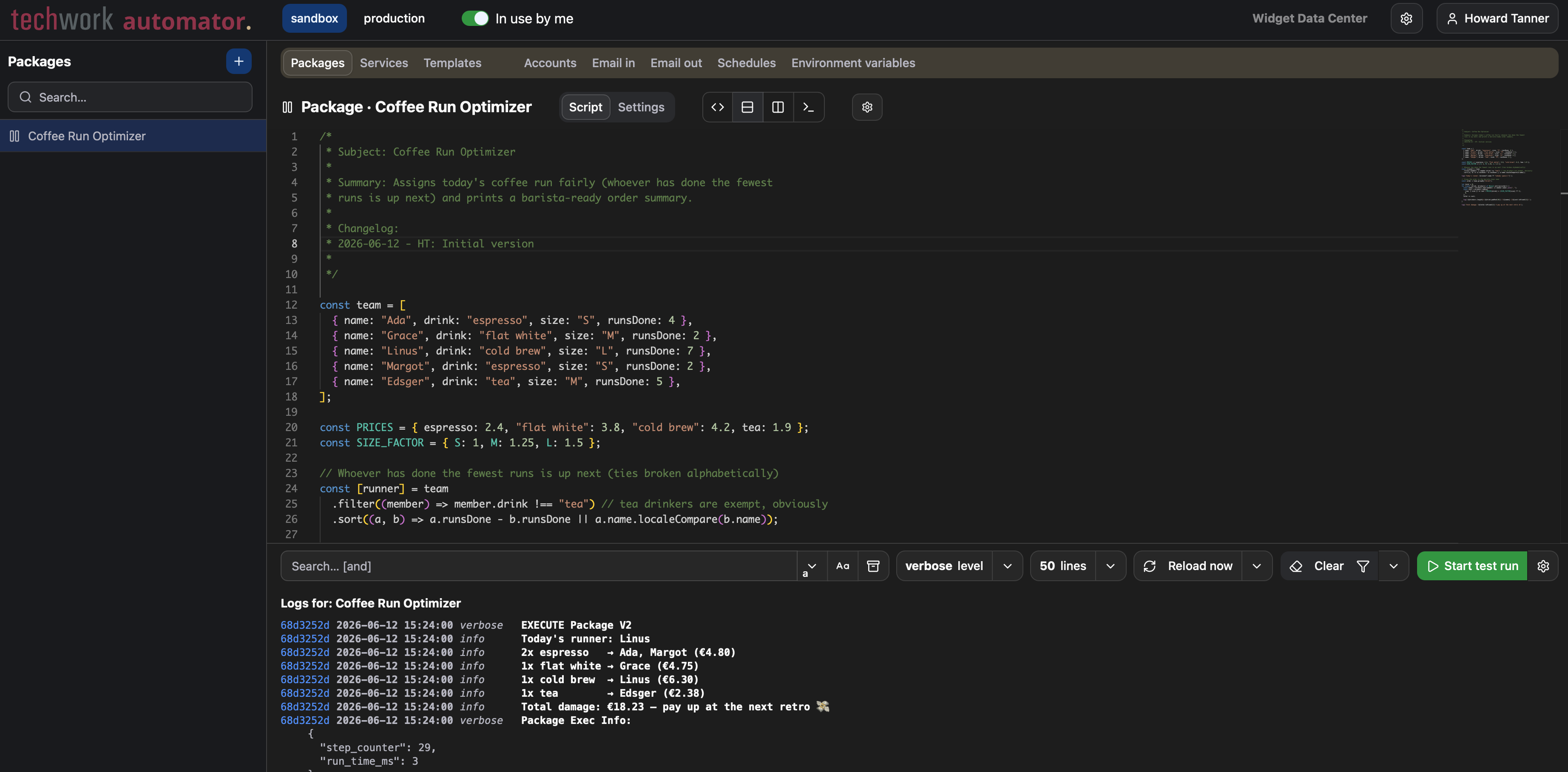
The selected color mode is applied to the entire user interface, including the package editor with its syntax highlighting:
Unsaved changes
The automator has always kept track of the changes you have made to a profile since it was last saved. With this release, it is now possible to review those changes before saving:
- Records (packages, accounts, services, ...) with unsaved changes are marked with an asterisk in the sidebar. Click the asterisk to see exactly what has changed in that record since the last save.
- To review all unsaved changes in the profile at once, select "View unsaved changes" from the actions menu in the top right corner. This option is only shown when there are unsaved changes.
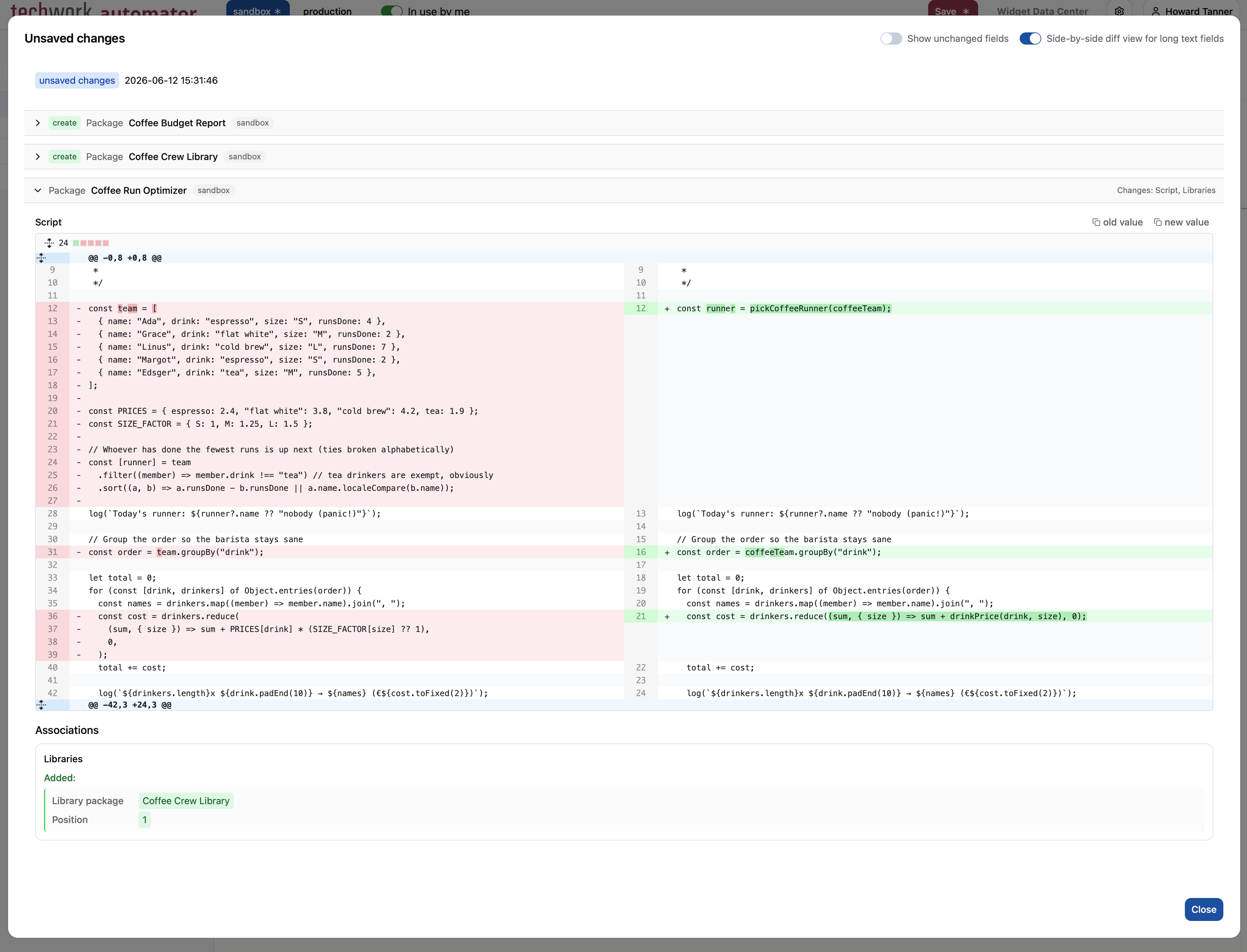
The changes are presented in the same familiar format as the change history, including the toggles to fine-tune the display of the differences.
Reviewing changes in the transfer assistant
The change review in the transfer assistant has also been improved. Previously, only the changes to the code of a package could be reviewed before transferring. The review now includes every attribute that will be transferred, and is therefore available for all record types instead of just packages.
Each record in the transfer dialog has a "View transfer changes" button that shows exactly what will change for that record in the destination environment.
In addition, the new "View changes" button at the bottom of the transfer dialog shows the changes of all records that are selected for transfer at once.
New authentication types for HTTP accounts
HTTP accounts can now be configured with three additional authentication types:
- The "Custom header" type sends the credential in a header with a configurable name. This is useful for APIs that
expect an API key in a non-standard header such as
X-Api-Key. - The "Custom URL parameter" type appends the credential to the URL as a query parameter with a configurable name. For
example, with parameter name
api_key, a call tohttps://api.example.com/v1/itemsis sent ashttps://api.example.com/v1/items?api_key=<credential>. - The "OAuth 2.0 (password)" type implements the OAuth 2.0 resource owner password grant: the automator obtains an access token using the configured username and password, and automatically refreshes it when it expires. To make the distinction clear, the existing OAuth 2.0 authentication type has been renamed to "OAuth 2.0 (client credentials)".
The standard HTTP account functionality, such as automatic retries of failed API calls and the use of multiple credentials to work around rate limits, is also supported for these new authentication types.
Other changes
This release contains a number of smaller changes:
- AutomatorScript now supports
Buffer.from()to create a buffer from a string, for example to attach a generated file to a Xurrent record. ThenewBufferfunction has been deprecated in favour ofBuffer.from(). - The
setMocktest function now also supports mocking namespaced functions, for examplesetMock("Xurrent.graphqlQuery", ...)orsetMock("Array.isArray", ...). - The internal bookkeeping properties that the automator adds to Xurrent fetch results (such as
__metadataandtwCurrentPage) are now hidden: they no longer show up in the logs, when looping over the properties of a record, or in data sent to external systems. The pagination and rate-limit information they contain remains available through thegetMetaDatafunction. - The display of logged data has been improved: buffers, regular expressions,
MapandSetobjects are now rendered in a readable format in the logs. - Several dropdown fields in the interface can now be filtered by typing. Start typing to narrow the list of options to the matching entries, which makes it much quicker to find what you are looking for in long lists.
- Continuing the deprecations announced in r202614, the
getPropertyNamesfunction has been deprecated in favour ofObject.keys().
Timeline
The expected deployment dates for this release are:
| Environment | Date |
|---|---|
| Demo | Monday, June 15th |
| Production | Thursday, June 18th |
The deployment of the Production environments will be conducted outside of office hours (Central European Time Zone), usually between 8 and 10pm.