Release r202633
What's new
This release contains the following improvements and changes:
- Database snapshot repositories
- AI assistant file attachments
- AI assistant library support
- Usage of outbound email configurations
Database snapshot repositories
Until now, you could only manage the snapshots of the in-memory database from a package. You could not easily download or upload a snapshot.
With this release, snapshots are stored in accounts of the new type Database snapshot repository. As with File repository accounts, you can also manage the snapshots in the UI. Open such an account and click Browse snapshots:
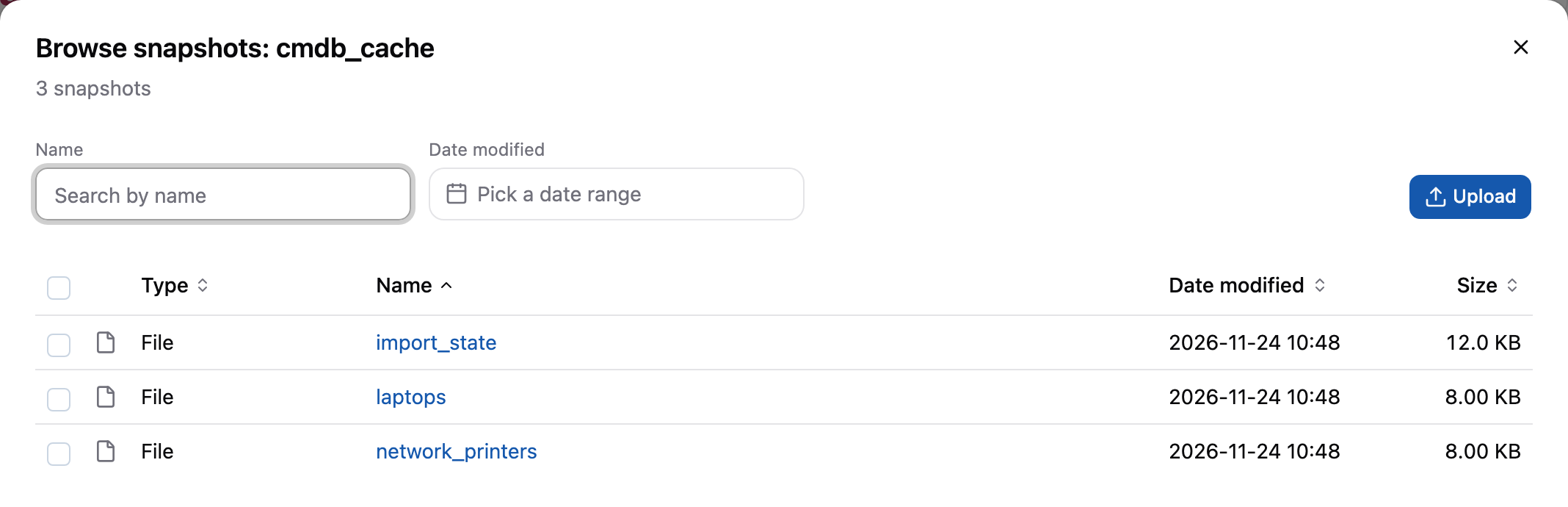
You can download a snapshot as an SQLite database file, upload an SQLite database file as a snapshot, and delete snapshots. To inspect or edit a downloaded snapshot, use a tool such as DB Browser for SQLite.
The snapshot functions use the Database snapshot repository account that is marked as Default repository. To use another repository, pass its name as the last argument.
During the deployment of this release (see the timeline), the automator adds a default Database snapshot repository account named "Database snapshot repository" to every environment of the profiles that already use snapshots. It moves the existing snapshots into this new account. Until the snapshots are moved, profiles are read-only (using maintenance mode). Packages keep running during that time and need no changes.
In addition:
- The limit of 10 snapshots per environment no longer applies.
- Snapshot names are no longer limited to letters, digits,
_and-. See db_save for the characters that are not allowed. - The error messages of the snapshot functions now name the snapshot, for example
Could not load snapshot 'daily_results'. - The documentation now describes the size limit of the in-memory database.
AI assistant file attachments
Messages to the AI assistant can now include files, for example a screenshot of an error or a CSV export:
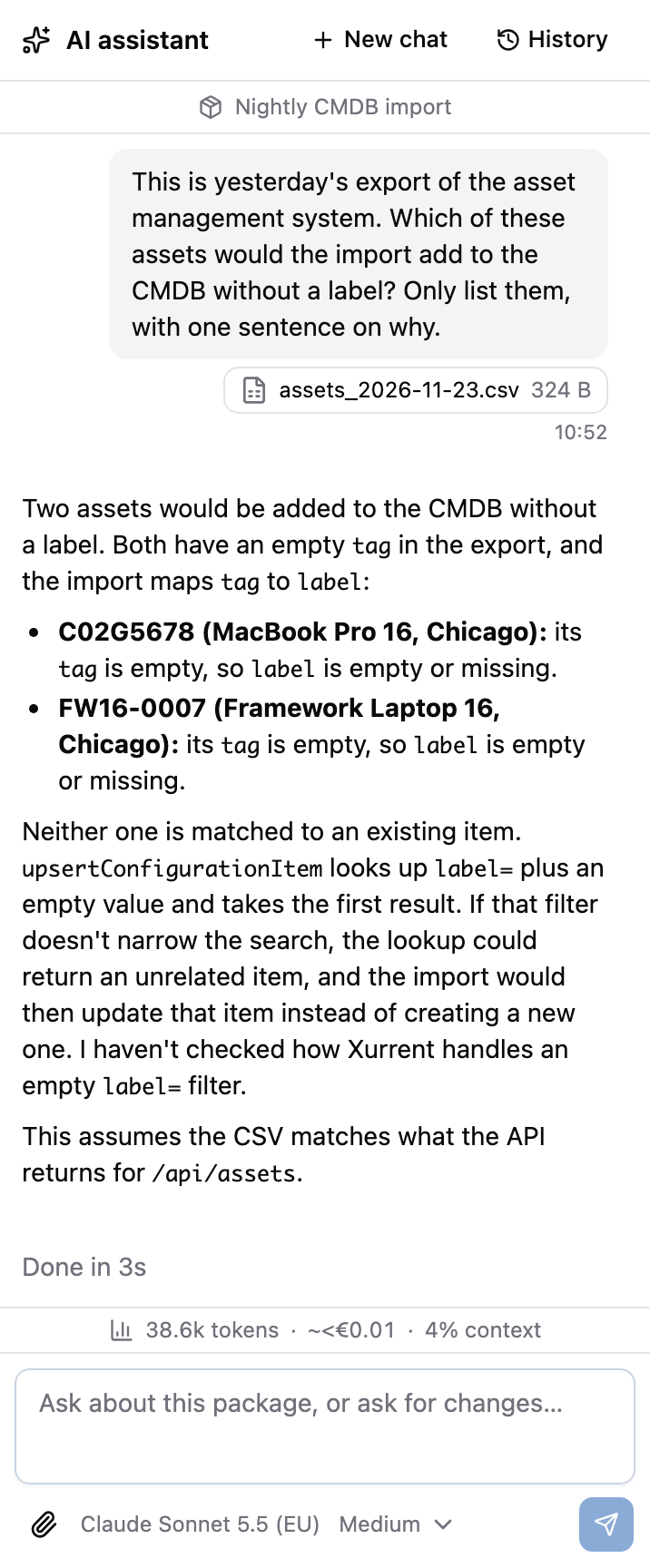
Attach them to a message in one of the following ways:
- Click the paperclip () below the chat input.
- Drag files onto the chat input.
- Paste them into the chat input.
Claude models read images (PNG, JPEG, WebP and GIF), PDF, Word, Excel and text files. The other models only read text files.
To keep the AI assistant fast and reliable, a chat can hold up to 10 MB of files, with at most 5 PDF, Word or Excel files. Start a new chat to attach more.
AI assistant library support
Besides updating a package, the AI assistant can now create a library and link it to the package, for example when you ask it to move reusable functions into a library. It can also link an existing library to the package.
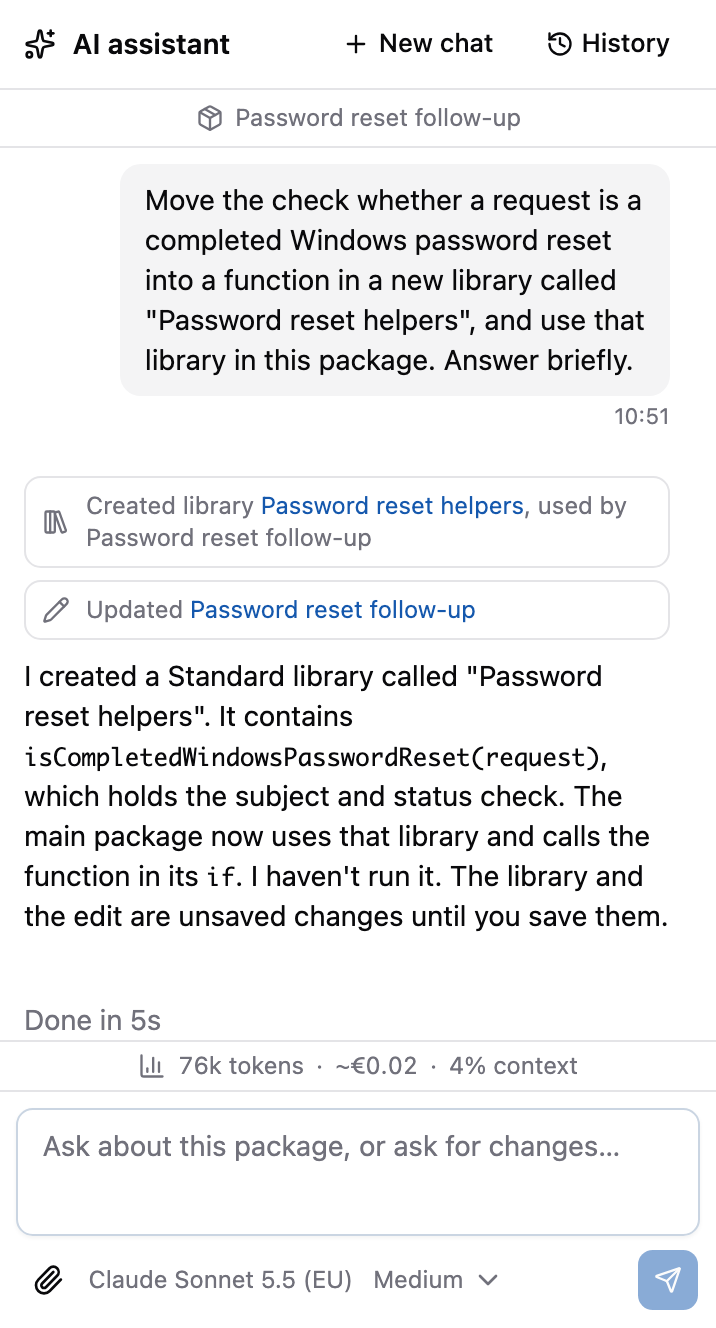
As with script changes, the new library and the link to it are not saved until you save the profile.
Usage of outbound email configurations
The Usage tab is now also available for outbound email configurations. It shows how many emails were sent through the configuration, how many of them failed, and which packages sent them.
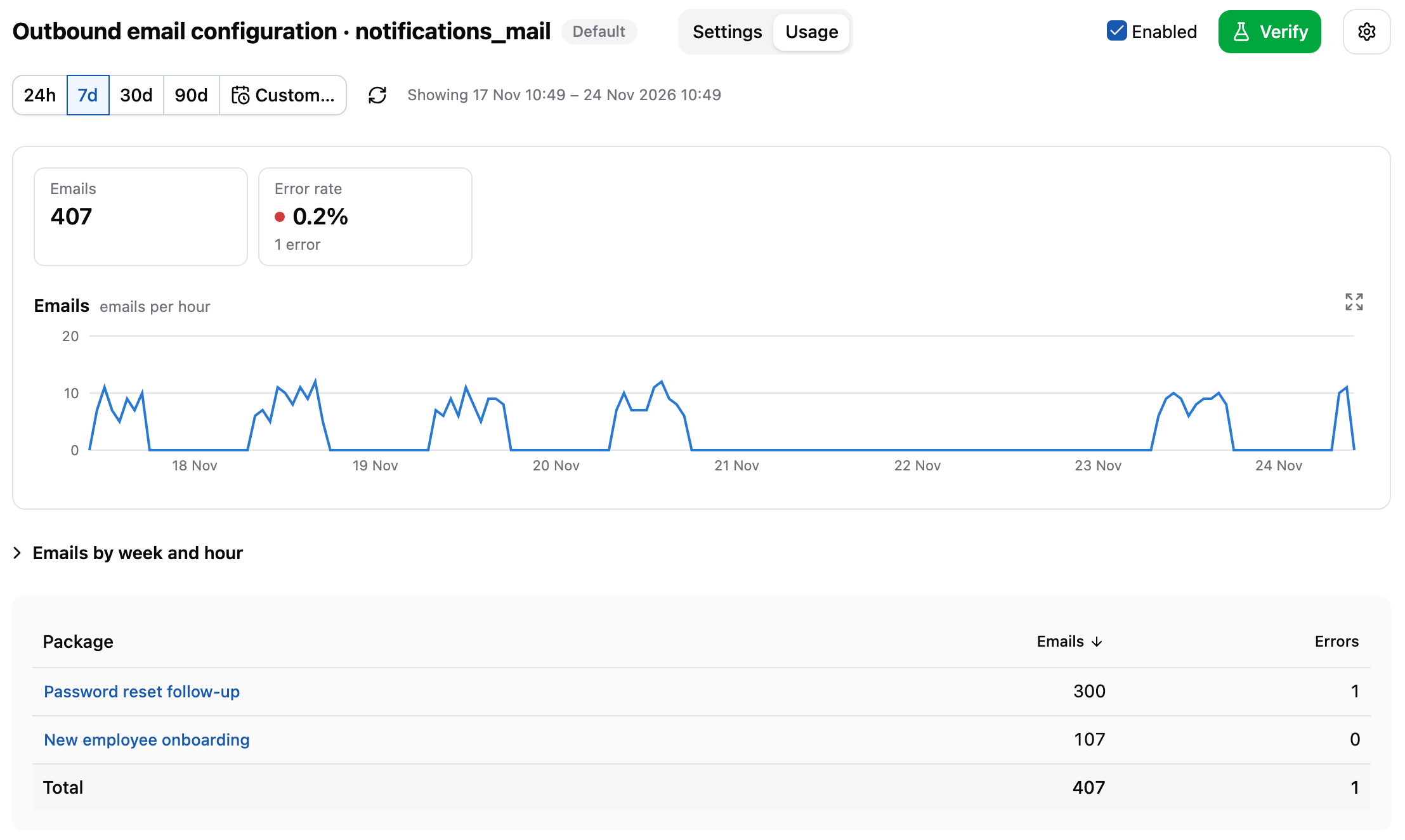
The Usage tab of a package shows a section for each outbound email configuration that it used. View account usage in the actions menu in the header lists the outbound email configurations on the new Email out tab.
See Account usage for more information.
Other changes
This release contains the following smaller changes:
- The AI assistant now takes the settings of a package into account, such as its triggers and whether sequential execution is enabled. It cannot change these settings.
- The type of an account can no longer be changed once the account is saved. To use another type, add a new account.
- When an account configured with OAuth 2.0 credentials cannot get an access token, the error now names the token
endpoint and the reason, for example
http_get: Unable to request token from https://login.example.com/oauth/token: invalid_client. - With Show unchanged fields switched on, the change history and View unsaved changes now show an unchanged script with syntax highlighting.
Timeline
The expected deployment dates for this release are:
| Environment | Date |
|---|---|
| Demo | Friday, November 27 |
| Production | Tuesday, December 1 |
The deployment to the Production environment will be conducted outside of office hours (Central European Time Zone), usually between 8 and 10pm.