Release r202632
What's new
This release contains the following improvements and changes:
AI assistant access to package logs
The AI assistant is able to read and write packages, but, until now, did not have access to the package execution logs. To analyze a problem, you had to find the relevant log lines yourself and copy them into the chat.
This is no longer needed: the AI assistant can now search the logs of a package and read the log lines of executions on its own. Ask it, for example, why a run failed or what happened to a specific record, and it looks up the relevant logs, analyzes the situation and, if it is caused by an issue in the integration, proposes possible fixes.
Additionally, if you already have the package logs open and, for example, filtered on an execution or a search query, the AI assistant is aware of this and takes it into account when you chat with it.
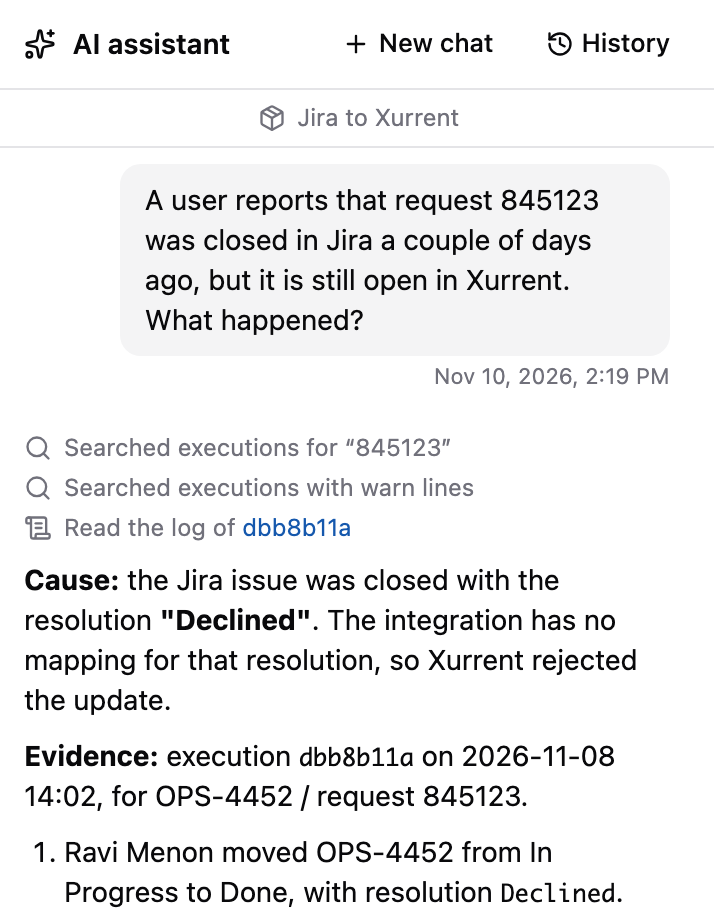
The chat shows which executions the AI assistant has read. You can click on an execution ID to open the logs of that execution.
AI assistant in the background
The AI assistant now keeps working in the background while you navigate around the profile. Previously, it stopped as soon as you left the Script tab, even when you only switched to the Settings tab of the same package.
While the AI assistant works in a chat that is not in view, the header shows its status. Click it to go back to that chat.

In addition, the AI assistant is now available on all tabs of a package, so you can interact with it not only from the Script tab, but also from the Settings and Usage tabs.
Note that you can still only actively work on one chat at a time. You can navigate to other chats and read their contents, but they are read-only until the AI assistant finishes.
AI assistant effort level
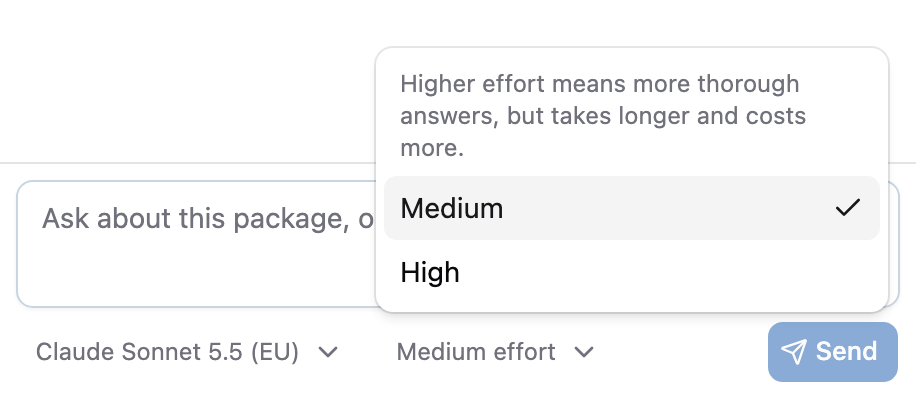
Until now, the AI assistant always used high effort with Claude models. You can now choose the effort level. New chats start at medium effort, which gives faster answers that are good enough for most questions. For a complex task, select High in the effort selector next to the model. You can change the effort level at any time during the chat.
Other changes
This release contains the following smaller changes:
- The function reference now describes how each function behaves on an error, for example whether
it throws an exception or returns
null. hasCustomFieldIdnow returnsfalseinstead ofnullwhen the custom field ID is missing, or when the first argument is neither a record nor an array. It also no longer adds an emptycustom_fieldsattribute to a record that has none.- Errors in the package logs now show their properties in a fixed order:
name,message,cause, any custom properties, andstack.
Timeline
The expected deployment dates for this release are:
| Environment | Date |
|---|---|
| Demo | Friday, November 13 |
| Production | Tuesday, November 17 |
The deployment to the Production environment will be conducted outside of office hours (Central European Time Zone), usually between 8 and 10pm.