Release r202631
What's new
This release contains the following improvements and changes:
Alignment with the ECMAScript standard
AutomatorScript is based on the ECMAScript specification, the standard that defines JavaScript, but deviates from that standard in multiple places. As part of our ongoing effort to align AutomatorScript with the specification, this release removes many of these differences.
Only the changes to error types, error messages and the in operator can potentially affect existing packages. See those sections for more details. For the other changes in this section, our analysis showed that no existing packages use these constructs, so no updates are needed.
Standard error types
Until now, the automator raised runtime errors of type Error. Packages can still throw Error, but as in standard
JavaScript, the automator now also raises the following more specific subtypes:
TypeError: a value does not have the expected type, for example when calling a method onnullReferenceError: a name is not defined, for example when calling an unknown functionRangeError: a value is outside the allowed range, for example an array length above the limitSyntaxError: text cannot be parsed, for example invalid JSON inJSON.parseURIError: a URI is malformed, for example indecodeURIComponentEvalError: only exists for compatibility. AutomatorScript does not raise it itself
Packages can also throw these types themselves, for example with throw new TypeError("Invalid value"). Use
instanceof to handle only a specific type of error:
function parseSettings(body) {
  try {
    return JSON.parse(body);
  } catch (e) {
    if (!(e instanceof SyntaxError)) throw e;
    return {};
  }
}
Standard error messages
Until now, runtime errors had messages specific to the automator. They now have the same messages as in standard JavaScript. These are some of the messages that changed:
| Situation | Until now | Now |
|---|---|---|
| Calling an unknown function | Unknown function: foo | foo is not defined |
| Calling an unknown method | Unknown function: foo | o.foo is not a function |
Calling a method on null | Cannot call function on null object: foo | Cannot read properties of null (reading 'foo') |
Setting a property on null | Cannot assign to null object | Cannot set properties of null (setting 'foo') |
| Looping over a number | Cannot iterate over number | 37 is not iterable |
Errors raised by functions such as update are still of type Error, but
no longer have the generic message Function call error. The message now starts with the name of the function and
summarizes what went wrong, for example update: Validation Failed: Requested by is invalid. The details of the
failure, such as the HTTP status and the validation errors, are still in the cause property of the error, so packages
that read them keep working.
If a package checks e.message or e.name, it may need a change. For example, replace a check for the text
Unknown function with e instanceof ReferenceError.
See Error handling for more information.
The in operator
Until now, key in object checked whether an array contained a value, and returned false for anything other than an
array. It now checks whether an object has a property, as in standard JavaScript:
"a" in { a: 1 }; // => true, was false
"x" in ["x", "y"]; // => false, was true
1 in ["x", "y"]; // => true because the array has an index 1, was false
"x" in null; // throws a TypeError, was false
To check whether an array contains a value, use includes:
["x", "y"].includes("x"); // => true
To check whether an object itself has a property, use the new
Object.hasOwn function. Unlike in, it ignores inherited
properties:
Object.hasOwn({ a: 1 }, "a"); // => true
Object.hasOwn({ a: 1 }, "toString"); // => false, because toString is inherited
"toString" in { a: 1 }; // => true
On a Xurrent record, in only finds fields that are already loaded. It does not
fetch missing fields.
Sparse arrays
Arrays with empty slots such as [1, , 3] (sparse arrays) were not supported by AutomatorScript. However, it was
possible to create sparse arrays in other ways, for example with a[9001] = 4 on an array with fewer than 9000
elements. Array methods such as forEach and filter treated those slots as undefined elements.
AutomatorScript now supports sparse arrays, and the mentioned methods skip empty slots.
To keep package executions fast and reliable for everyone, arrays are limited to 1,000,000 elements. See Array for more information.
Smaller language changes
instanceofnow follows the standard. The right-hand side can be any expression that returns a constructor, such as a variable, and anything else throws aTypeError. For example,"a" instanceof Stringis nowfalsebecause"a"is not aStringobject but a string literal.- Calling a function through a computed property, such as
o[key](), now works. forloops can now assign each value to an object property or to existing variables, for examplefor (o.v of list)orfor ({ x } of list).- AutomatorScript now supports the
new Array(),new Boolean(),new Number()andnew String()constructors, and theMath.f16round()function. Plain objects now also supporttoString().
Improved diff view
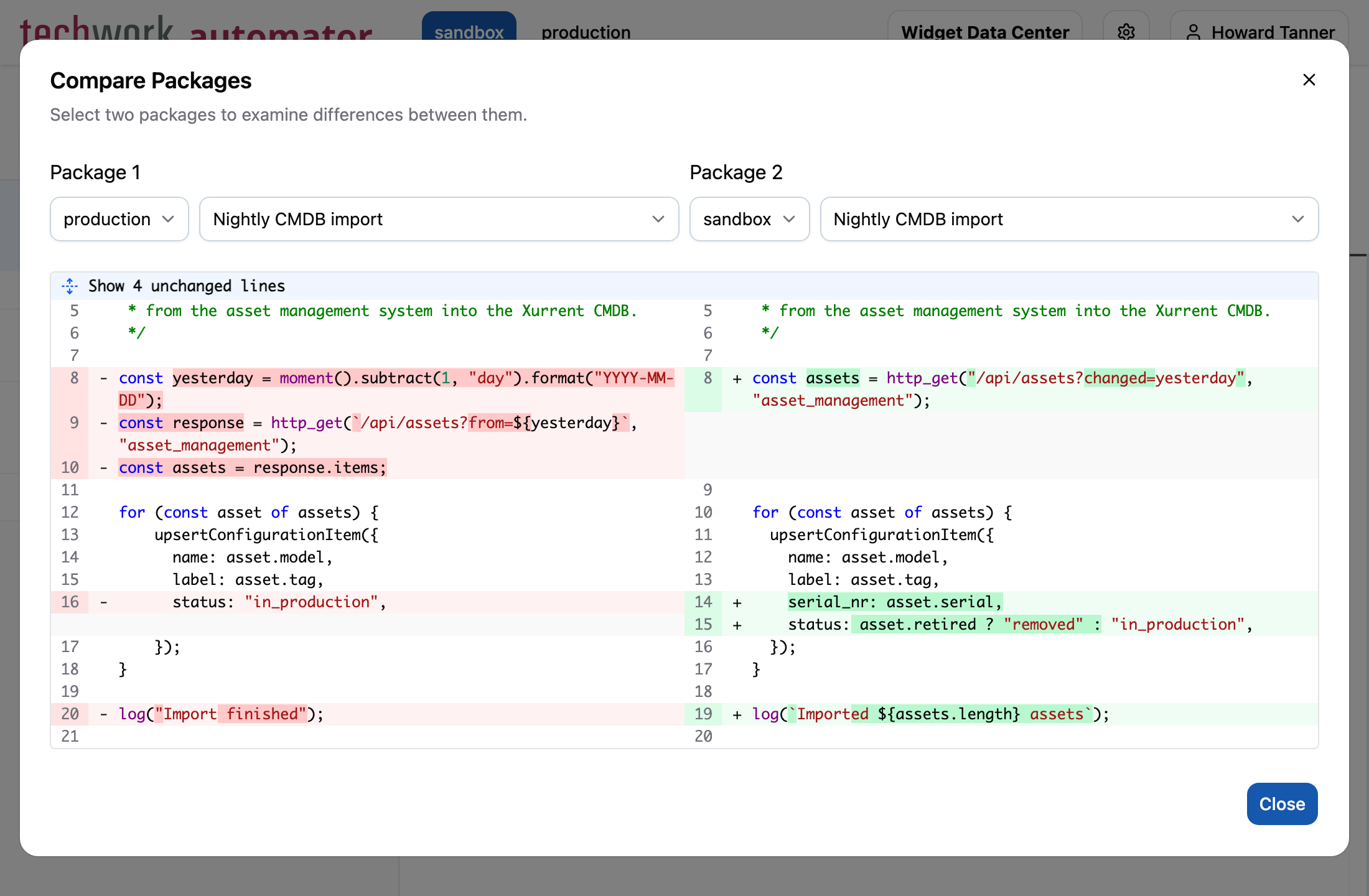
The change history and the conflict review now show differences in a new diff view:
- Changed lines are grouped, instead of alternating between removed and added lines.
- Lines that only differ in leading or trailing whitespace are shown as unchanged.
- Syntax highlighting is now supported for package scripts.
- A Show 4 unchanged lines button replaces lines such as
@@ -0,4 +0,4 @@.
The Compare Packages dialog now uses the same diff view:
Accounts that share credentials
Until now, the Usage tab of an account only mentioned that other accounts use the same credentials. Other accounts in that message is now a link:
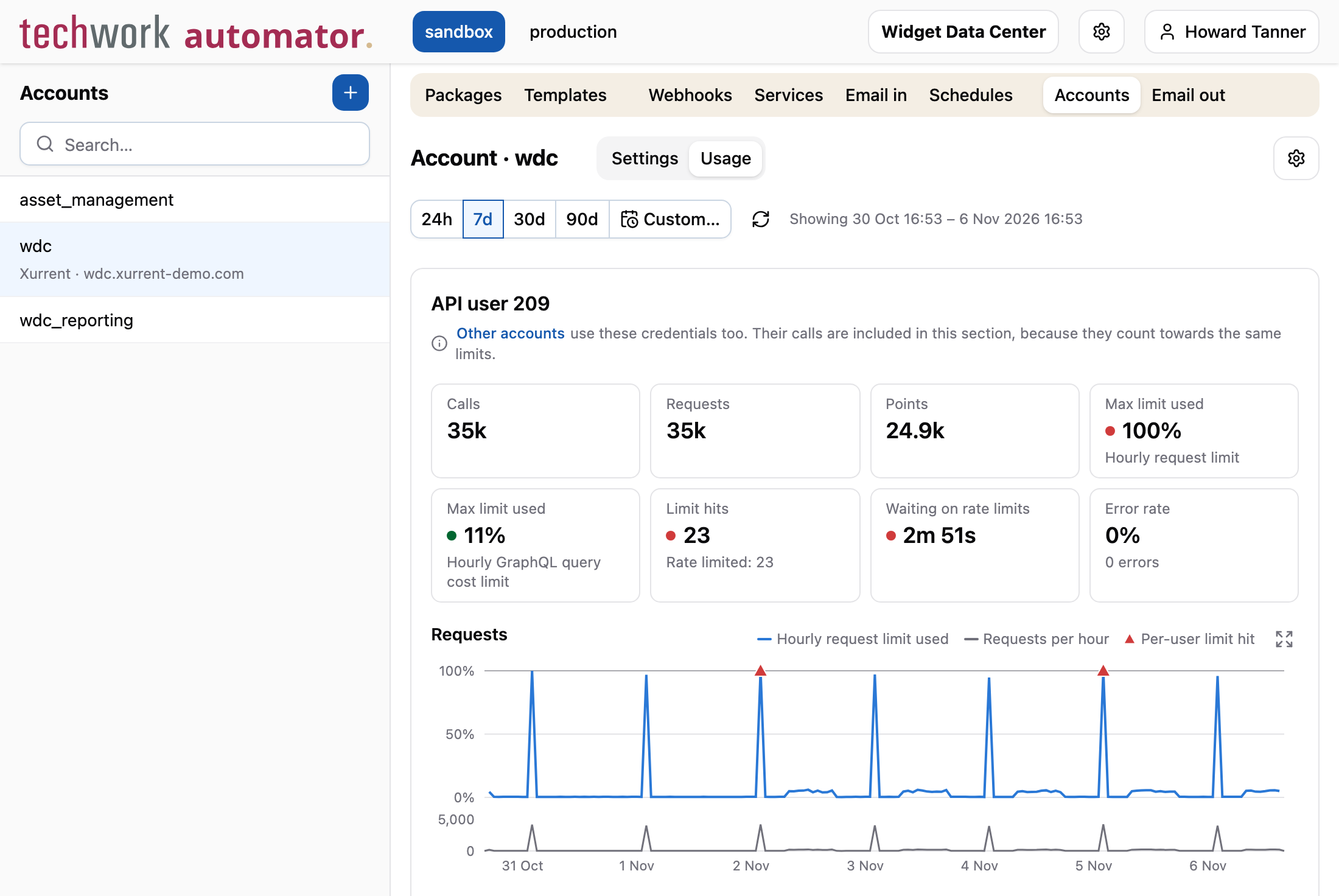
The link opens the list of those accounts, with the usage of each account in the selected period. Select an account to open its Usage tab for the same period.
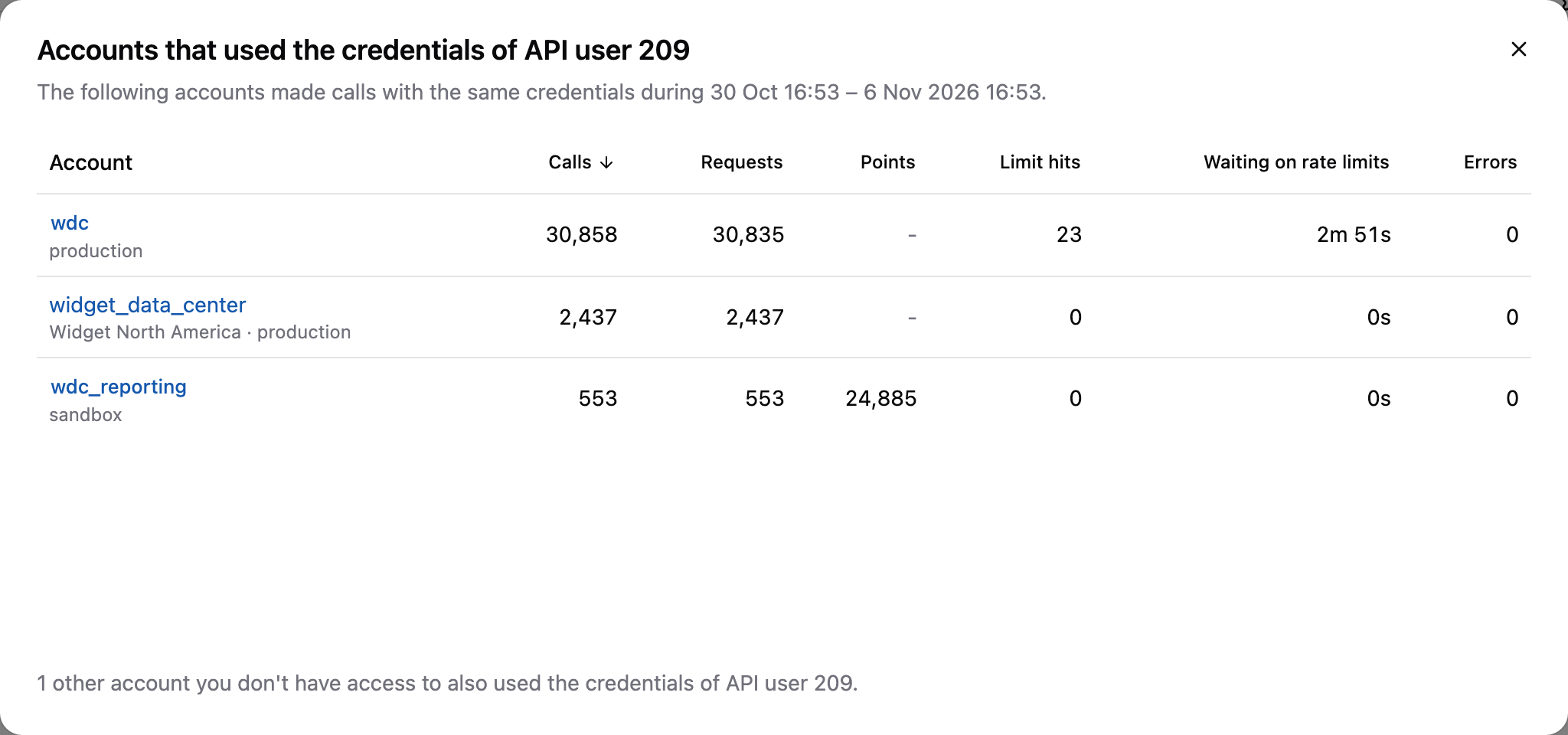
The list includes the accounts in other profiles that you have access to, and mentions how many other accounts you don't have access to. See Credentials for more information.
Other changes
This release contains the following smaller changes:
- We removed the optional prefix and callback parameters of
objectToText, because no enabled production packages use them. Passing them now throws an error. The documentation shows how to select properties or use another format withObject.entries. - The cache functions now require a non-empty string as
cache_id. We removed theoptionsparameter ofset_cache, which could only disable encryption, so cache entries are now always encrypted. - A library that you open from a package now has a Usage tab, which shows the usage of that package.
- The Xurrent REST and GraphQL models have been updated with all field changes up to October 31, 2026, including the new Problem tasks record type. This affects code completion and the Xurrent fields reference.
- Fix: functions now report a clear error for an unknown account, an account of the wrong type or a parameter of the
wrong type, instead of an error such as
Cannot read properties of undefined. - Fix: a malformed template value such as
<!--#[x]#-->now renders as an empty value instead of failing.
Timeline
The expected deployment dates for this release are:
| Environment | Date |
|---|---|
| Demo | Friday, November 6 |
| Production | Tuesday, November 10 |
The deployment to the Production environment will be conducted outside of office hours (Central European Time Zone), usually between 8 and 10pm.