Release r202630
What's new
This release contains the following improvements and changes:
Collaborate on a profile
Until now, only one person at a time could make changes to a profile. The first person to make a change locked the profile, and everyone else had to wait until that person saved their changes or removed the lock.
This global lock has been removed, and multiple people can now work on the same profile at the same time.
When someone else saves a change to a record, such as a package or a template, you see that change right away, without reloading the page. This applies to every record that you haven't changed yourself. A record for which you do have unsaved changes is left alone, so you never lose your own work. Instead, the automator lets you choose which version to keep, see Resolve a conflict.
See work in progress
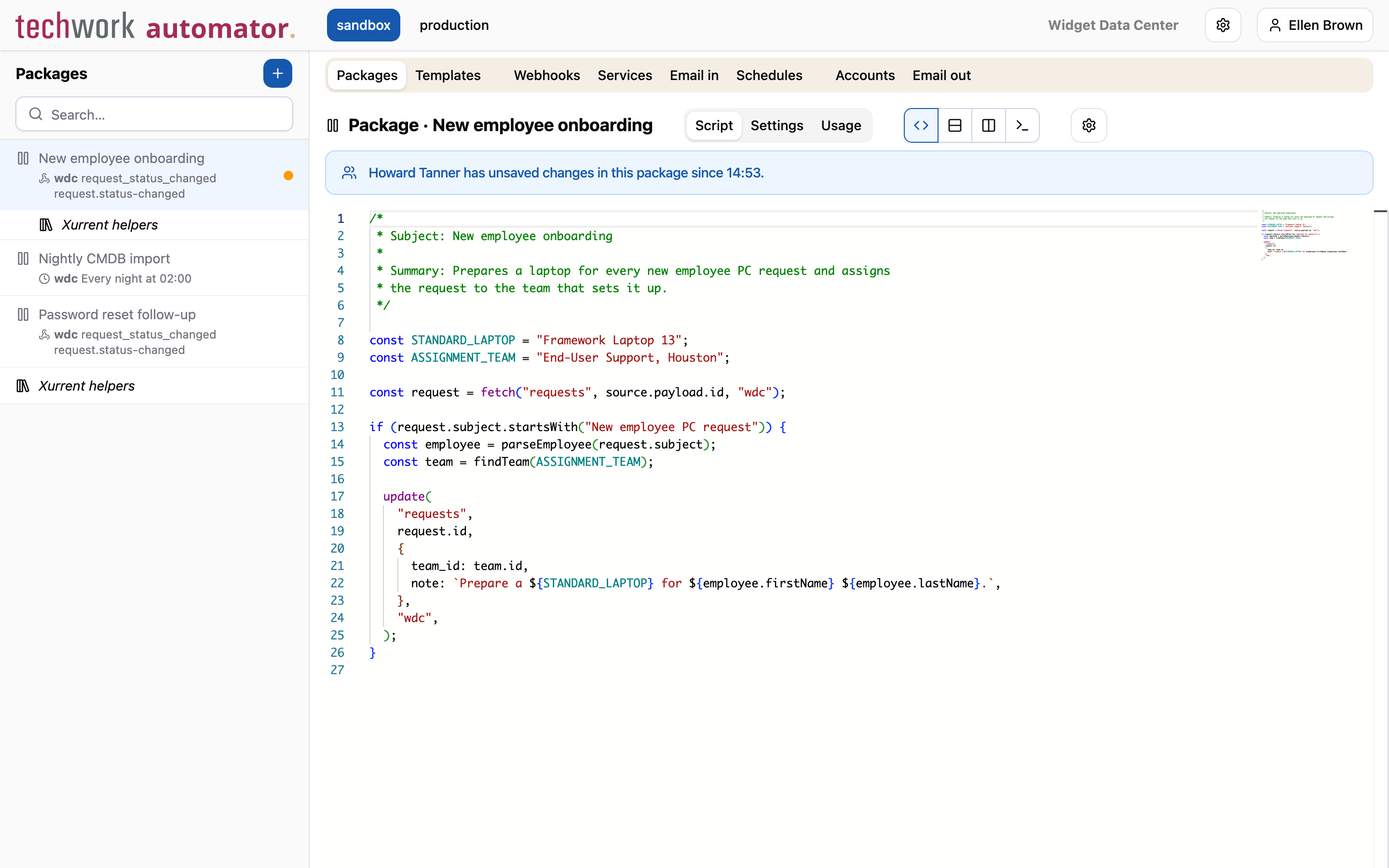
When someone else is editing a record, the record is marked with an orange dot in the sidebar. When you open the record, a banner shows who is editing it and since when.
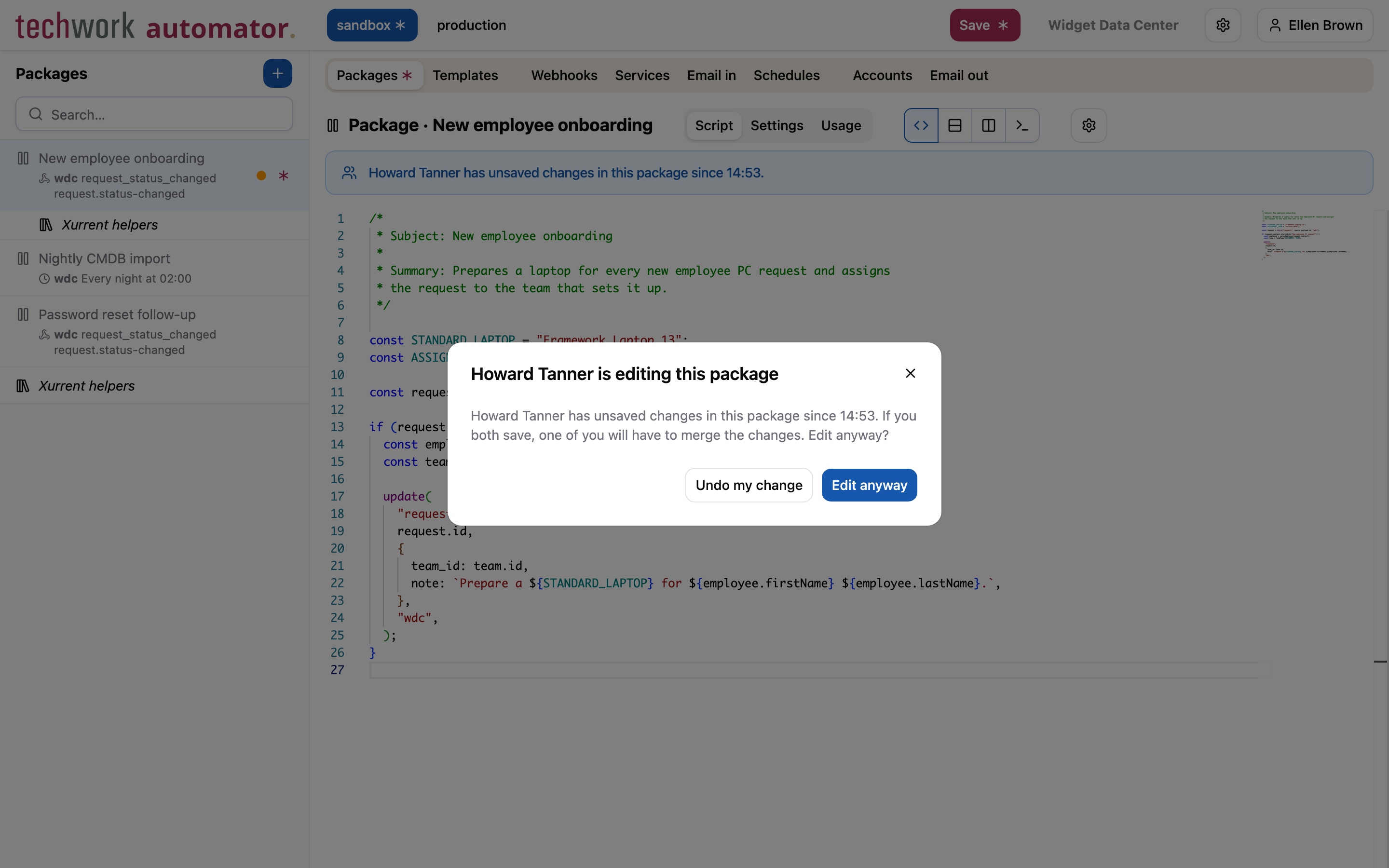
When you start editing the record, the automator will ask you whether you want to edit it anyway. Select Undo my change to leave the record to the other person.
Resolve a conflict
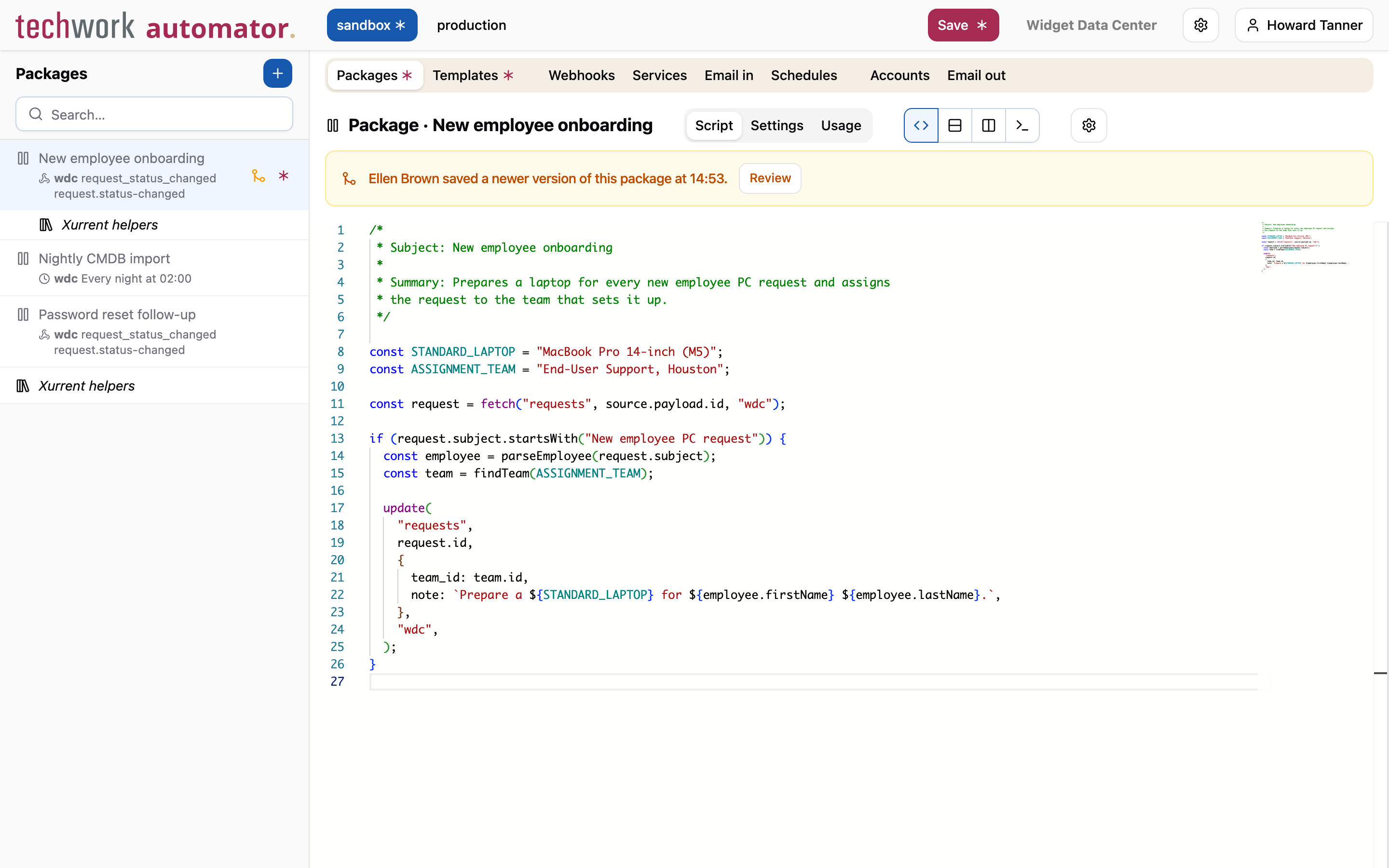
When someone else saves a record for which you have unsaved changes, the record is marked with a conflict icon () in the sidebar. A banner explains who saved the newer version and when, and has a Review button to resolve the conflict.
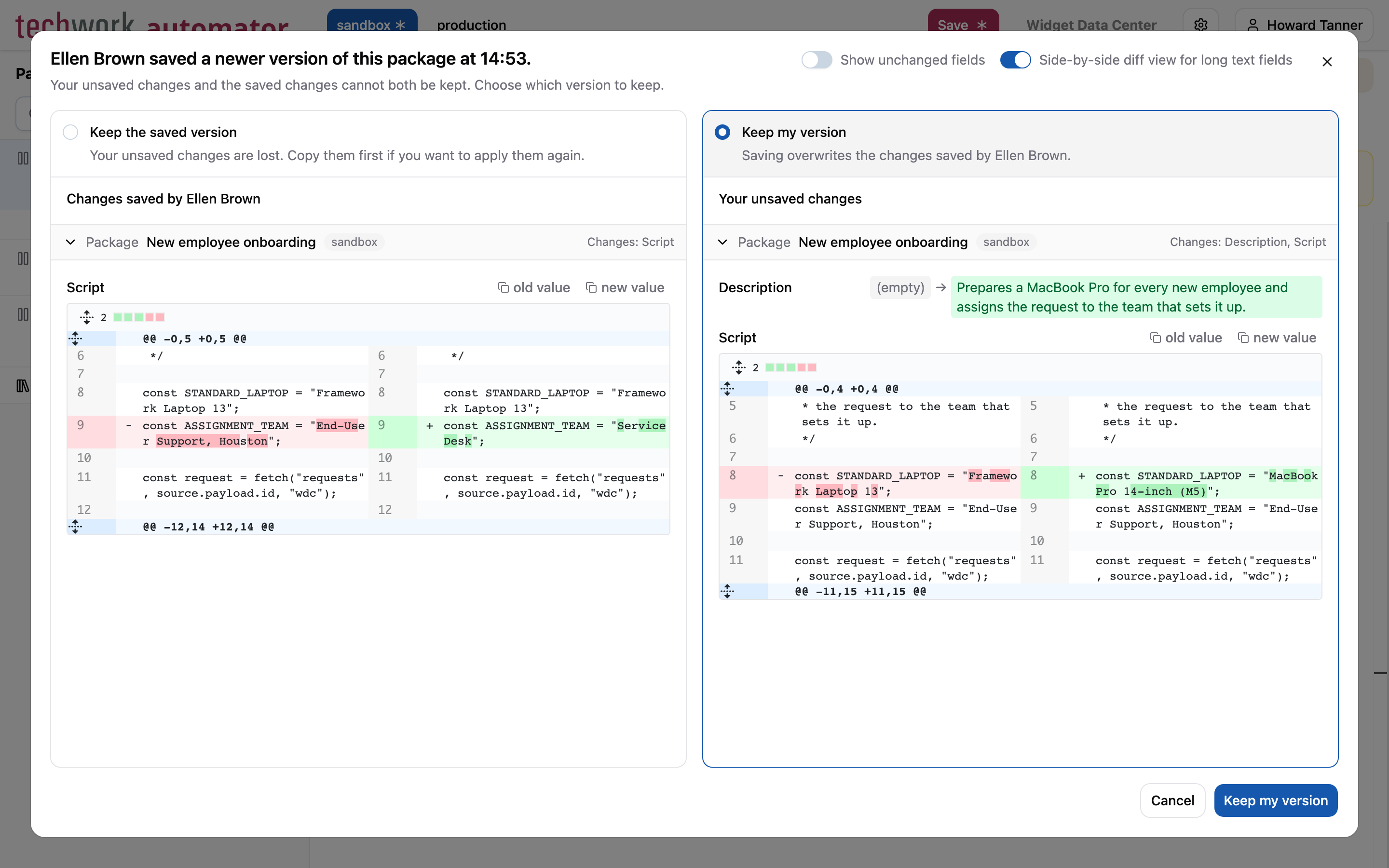
Reviewing a conflict shows two versions side by side, each with its changes compared to the version you started from:
- Keep the saved version discards your changes to the record and takes the version that the other person saved. Copy your changes first if you want to apply them again.
- Keep my version keeps your changes. When you save the profile, your version overwrites the changes that the other person saved.
Conflicts can also happen between your own browser tabs. When you change the same record in two tabs and save it in one of them, the other tab marks the record as a conflict and the banner says that you saved a newer version in another tab. You resolve it in the same way.
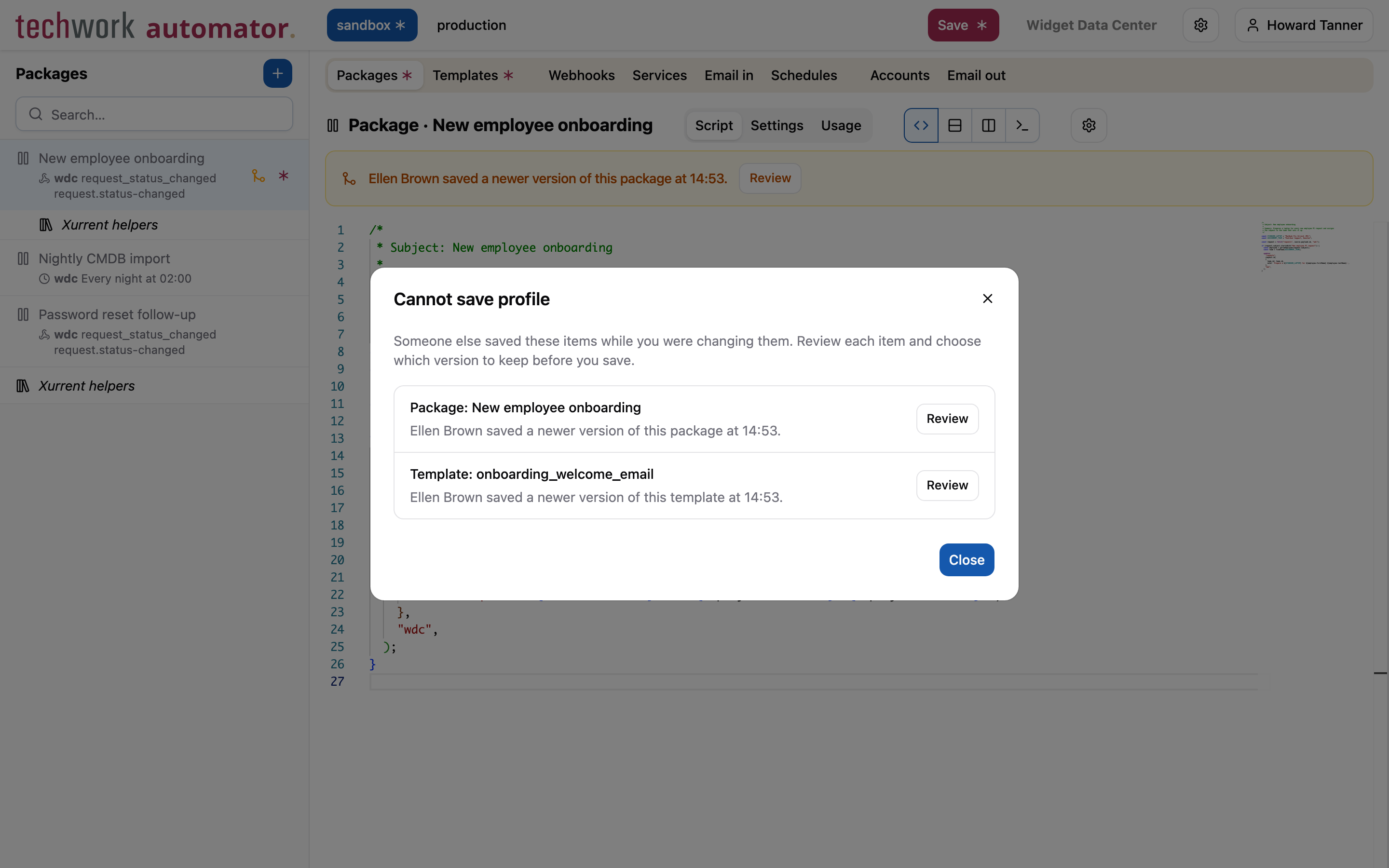
A profile with a conflict cannot be saved. When you try to save it, the Cannot save profile dialog lists the records with a conflict, each with its own Review button.
Restore a backup or transfer records
Restoring a backup, or transferring records, overwrites records in the target environment. When someone else has unsaved changes in the target environment, the restore or transfer dialog shows a warning. If you continue, that person gets a conflict for every record that they changed and that you overwrote, and has to choose between their own version and yours.
Rate limits for services
To keep services fast and reliable for everyone, each service now accepts up to 30 calls per second and 6000 calls per hour. The limits apply to the service as a whole, regardless of the account, the URL or the HTTP method used to call it.
A call that exceeds a limit returns a 429 Too Many Requests response with an empty body and a retry-after header,
without triggering the package. The header indicates how many seconds the caller should wait before calling the service
again. See Rate limits for more information.
Other changes
This release contains the following smaller changes:
- As part of our ongoing effort to align AutomatorScript with the ECMAScript specification, certain uses of
deleteand loops that are not valid now throw an error. Our analysis showed that no existing packages use these constructs, so no changes to packages are needed. stream_to_urino longer follows redirects, so the URI must accept the upload directly.- The AI assistant (private beta) now supports Claude Sonnet 5.5 and Claude Opus 5.5. Claude Sonnet 5.5 is the default model.
Timeline
The expected deployment dates for this release are:
| Environment | Date |
|---|---|
| Demo | Monday, November 2 |
| Production | Thursday, November 5 |
The deployment to the Production environment will be conducted outside of office hours (Central European Time Zone), usually between 8 and 10pm.