Release r202602
What's new
This release contains the following new or changed functionality:
- Locale-aware String functions
- Syntax error validation
- Additional String functions
- Improved code completion for mergeAudit
- Code completion for injected variables
Locale-aware String functions
We have added support for three standard locale-aware String methods:
localeCompare()toLocaleLowerCase()toLocaleUpperCase()
These functions enable locale-aware string operations, which is important when working with non-English text. Unlike their non-locale counterparts (toLowerCase, toUpperCase), they handle language-specific rules correctly—for example, the Turkish letter "I" lowercases to "ı" (dotless i) rather than "i".
localeCompare() is particularly useful for sorting arrays of strings in a language-aware manner:
let names = ["Özil", "Müller", "Anders", "Öztürk", "Maier"];
names.sort(function(a, b) {
  return a.localeCompare(b);
});
// Result: ["Anders", "Maier", "Müller", "Özil", "Öztürk"]
Without localeCompare(), characters like "Ö" would sort after "Z" (by Unicode code point). You can also specify a locale explicitly—for example, in Swedish "Ö" sorts after "Z", while in German it sorts with "O":
"Ö".localeCompare("Z", "de"); // -1 (Ö before Z)
"Ö".localeCompare("Z", "sv"); //  1 (Ö after Z)
Learn more at the MDN String reference.
Syntax error validation
Packages containing syntax errors can no longer be saved. When attempting to save, a dialog is shown explaining that the errors must be fixed first.
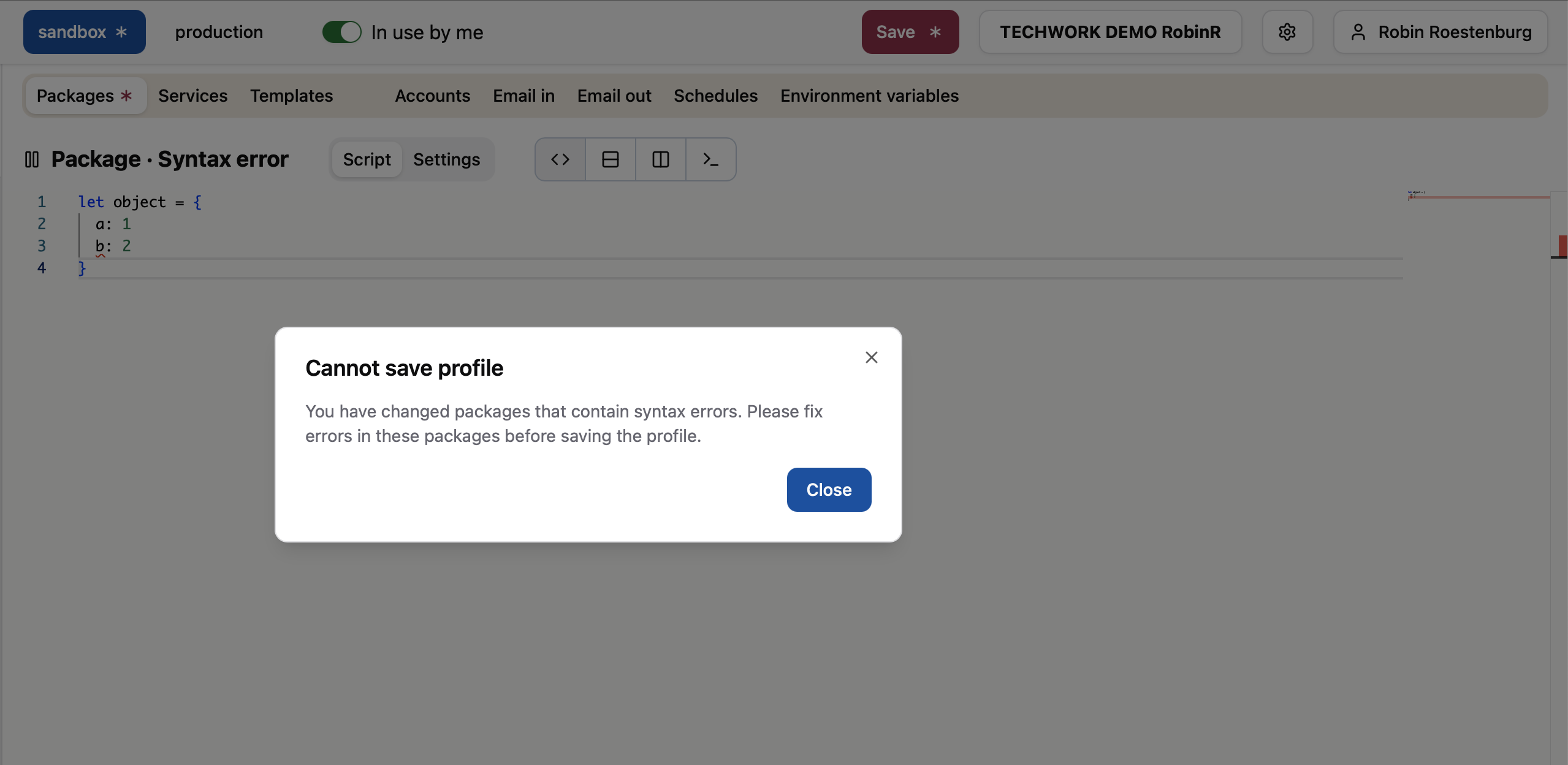
This prevents packages from being saved that cannot be executed by the automator engine.
Additional String functions
We have added support for four more standard String methods:
padStart()padEnd()trimStart()trimEnd()
// Padding - useful for formatting numbers and aligning output
"42".padStart(5, "0");     // "00042"
"42".padEnd(5, ".");       // "42..."

// Trimming - remove whitespace from specific sides
"  hello  ".trimStart();   // "hello  "
"  hello  ".trimEnd();     // "  hello"
Note: trim() was already available and removes whitespace from both sides.
Learn more at the MDN String reference.
Improved code completion for mergeAudit
The mergeAudit() function enriches Xurrent objects with audit properties that track field changes (such as audit_old_*, audit_new_*, audit_unchanged_*, and audit_changed_*). Previously, code completion did not recognize these dynamically added properties.
Code completion now shows all available audit_ properties after calling mergeAudit().
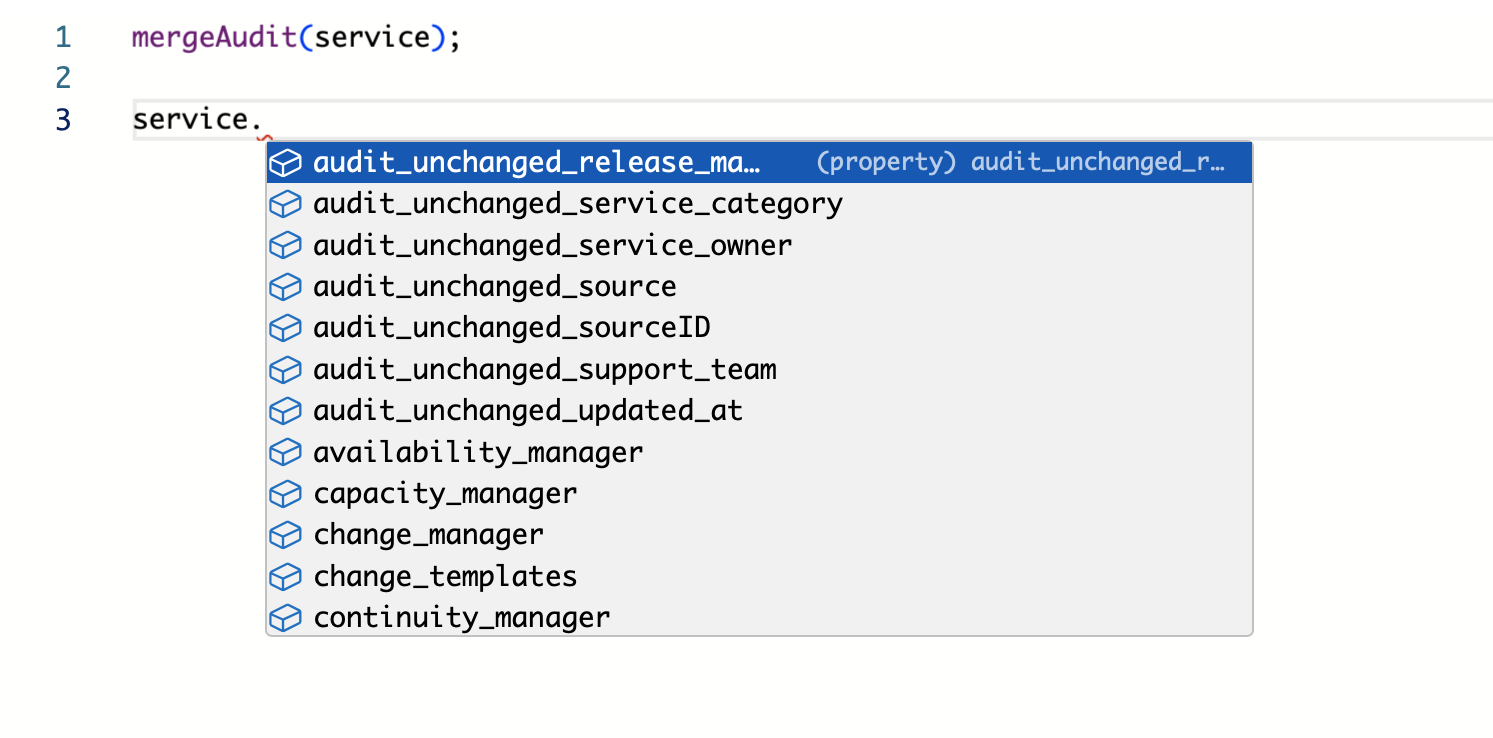
Code completion for injected variables
Depending on the package trigger, several global variables are automatically injected into the script. Code completion now recognizes these variables:
apiUserId– the ID of the Xurrent API usermail– the inbound email that triggered the packagesource– information about the trigger and payload (e.g.,event,headers,params,query,body)request,ci,task, etc. – the Xurrent record that triggered the package via webhook (variable name depends on webhook type)
Important
Event type for scheduled and email-in packages
The event type for scheduled packages follows the format scheduler.NAME (e.g., scheduler.Every hour), and for packages triggered by inbound email it is email-in.NAME.
Previously, when running a test for these packages, the event type was just NAME (missing the type prefix). This has been fixed, and test runs now use the correct event type format.
Timeline
The deployments of the release will be performed on
| Environment | Date |
|---|---|
| Demo | Saturday, January 24rd |
| Production | Thursday, January 29th |
The deployment of the Production environments will be conducted outside of office hours (Central European Time Zone).