Release r202512
What's New
We are pleased to deliver our final release of the year!
With twelve production releases and a successful migration to our new infrastructure, this has been a year of strong progress for the automator.
This release marks another important milestone: the introduction of our new frontend, which enables us to move forward with new improvements next year.
New Frontend
This update introduces a new frontend built on the React framework, providing a more modern user experience and a solid foundation for future enhancements.
The familiar structure remains in place, but we have taken the opportunity to introduce a range of quality-of-life improvements that make the interface clearer, smoother, and easier to work with.
A more powerful code editor
The editor now uses the Monaco editor, the same editor behind Visual Studio Code, providing advanced editing capabilities and context-aware code assistance for AutomatorScript.
Notable new capabilities:
- A minimap overview on the right side.
- Improved syntax highlighting, including highlighting of errors.
- A context menu with many tools, that can be accessed from the code editor by pressing F1.
Next to that, we’ve also added a number of automator-specific improvements:
- All AutomatorScript functions (e.g.,
fetch,log) appear in code completion, with documentation and parameter hints. - The code completion now also includes:
- Functions and variables from libraries used by the package.
- Environment variables available in the current environment.
- Xurrent attributes when working with Xurrent objects
A more consistent and intuitive user interface
Key elements have been reorganized for clarity and ease of use, most notably:
- Menu items now begin with Packages, Services, and Templates.
- Package settings are now accessible through a Settings tab rather than sidebar buttons.
- Form fields follow a more uniform order; for example, Name and Description always appear first.
- Relevant cross-references are now displayed directly on records; for example, an account will show which packages reference it.
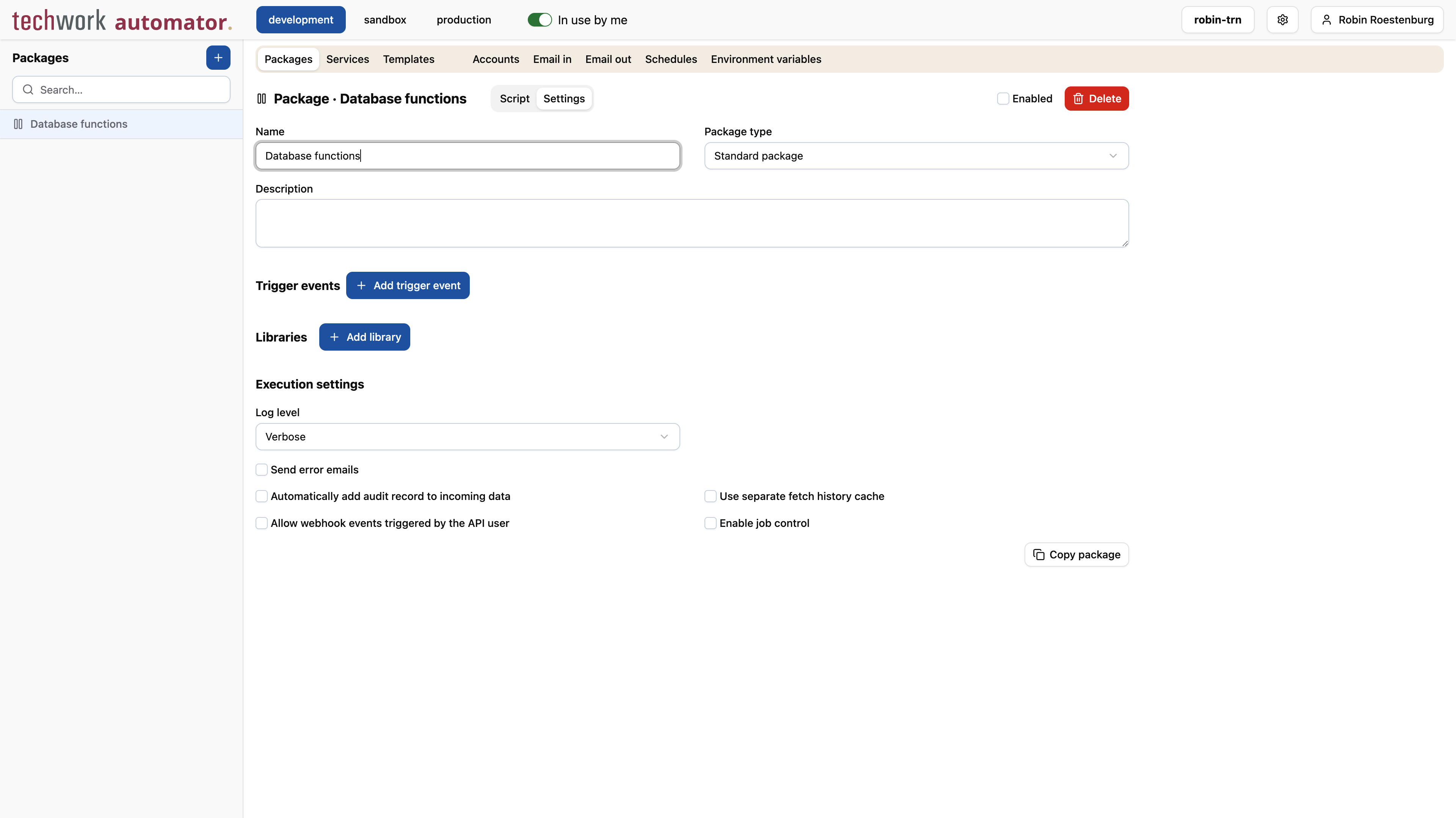
Enhanced script and log workspace
Multiple layout modes and resizable panels allow users to arrange the script and log views in a way that best suits their work.
New help & documentation site
Our help documentation has been updated and is now available at https://docs.automator.at.
The content is largely the same for now, but the new site is much easier to navigate thanks to built-in search capabilities. Pressing Ctrl+K (Windows) or Cmd+K (macOS) will open the search bar:
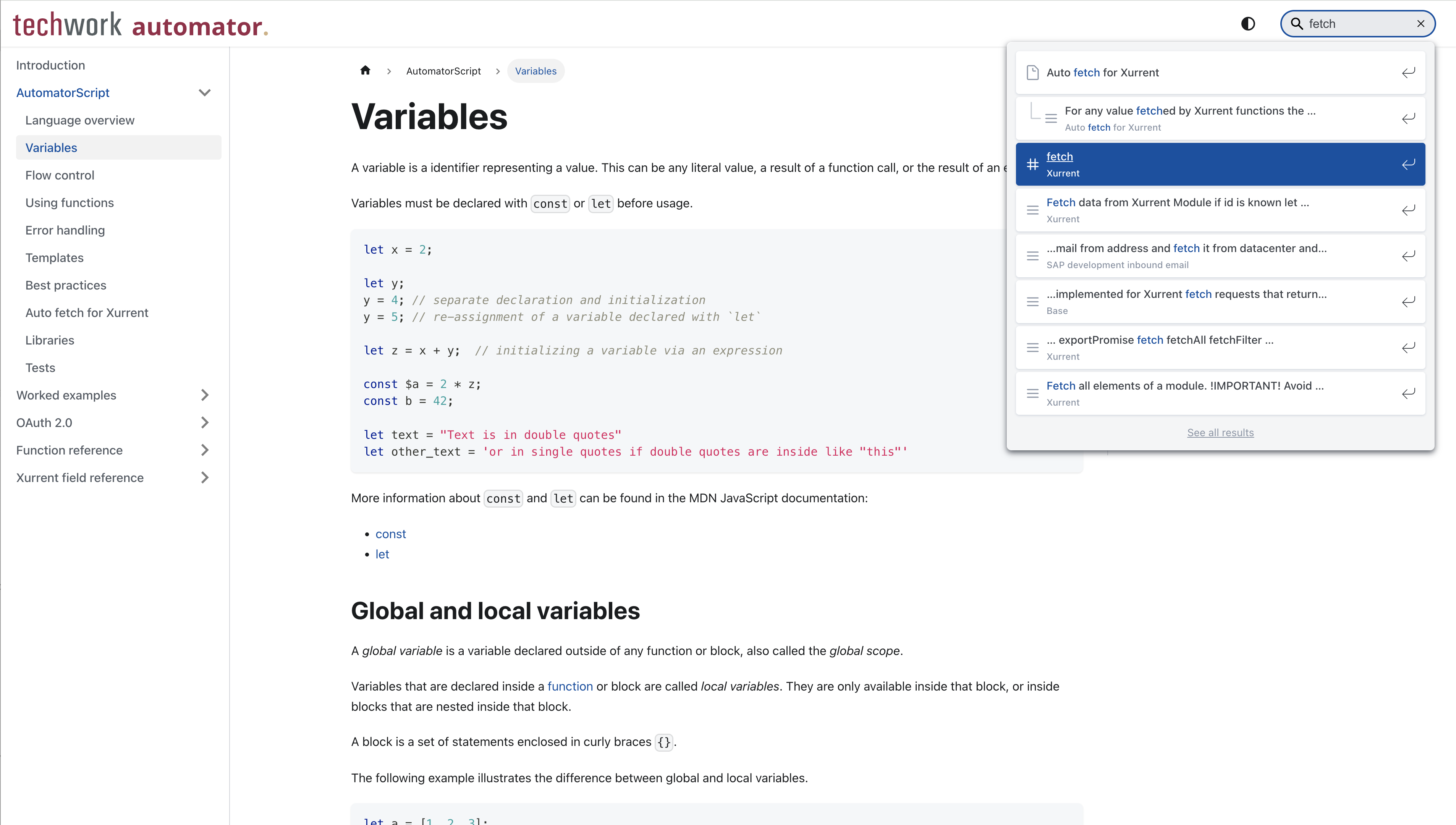
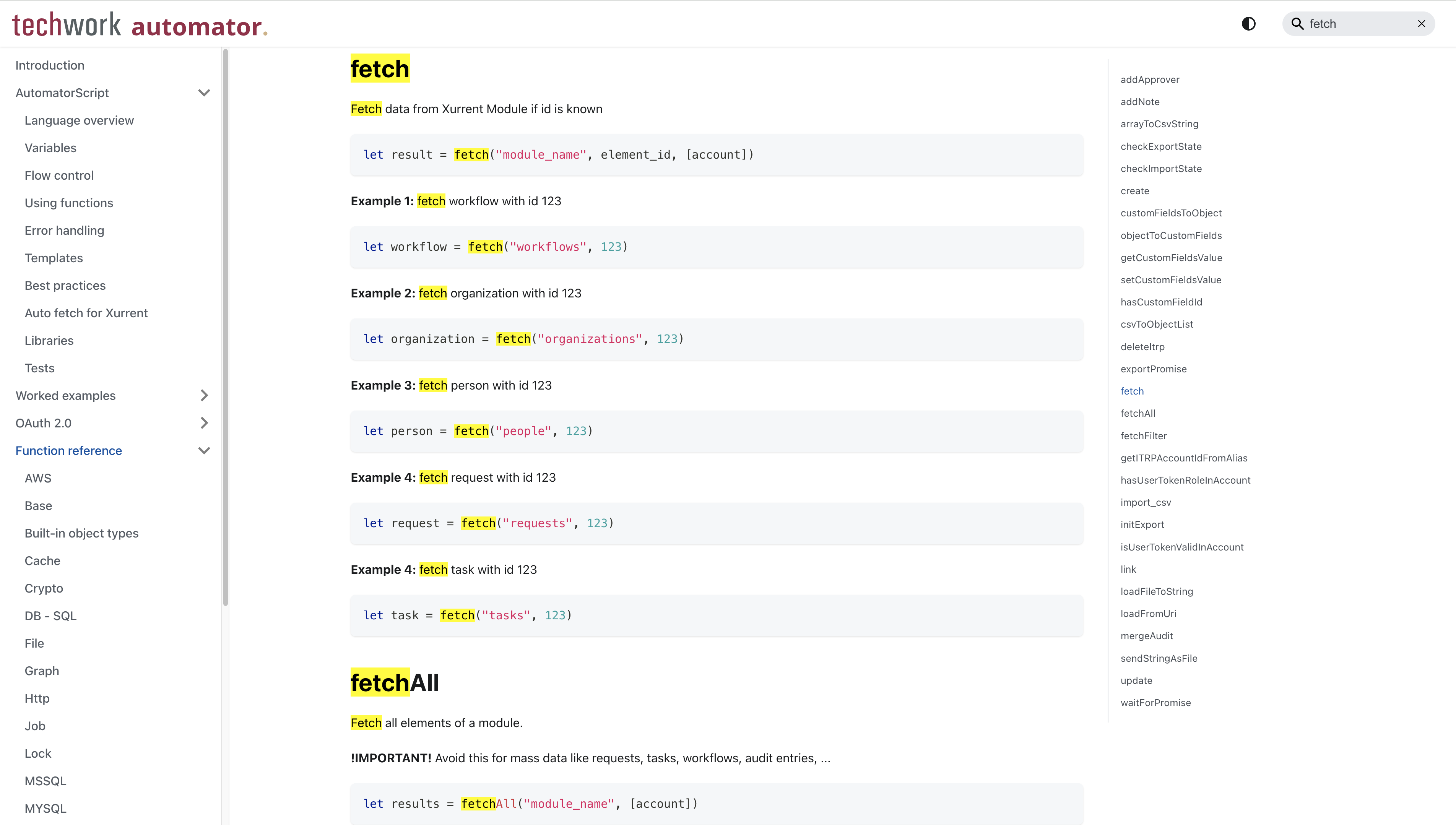
When you select a search result, your search phrase will be highlighted on the page, making it easier to find the information you need.
You can expect many improvements to the documentation throughout next year.
Important
This release contains the following important updates:
Preparation for new engine
Work is underway to introduce a new AutomatorScript engine that will support modern JavaScript features. To ensure a smooth migration, we need to ensure that all existing packages are compatible with this new engine.
Our current engine allows certain code constructs (often referred to as loose mode) that will no longer be permitted. With this release, automator will highlight packages that contain incompatible code, making it easier for you to identify and resolve issues in advance:
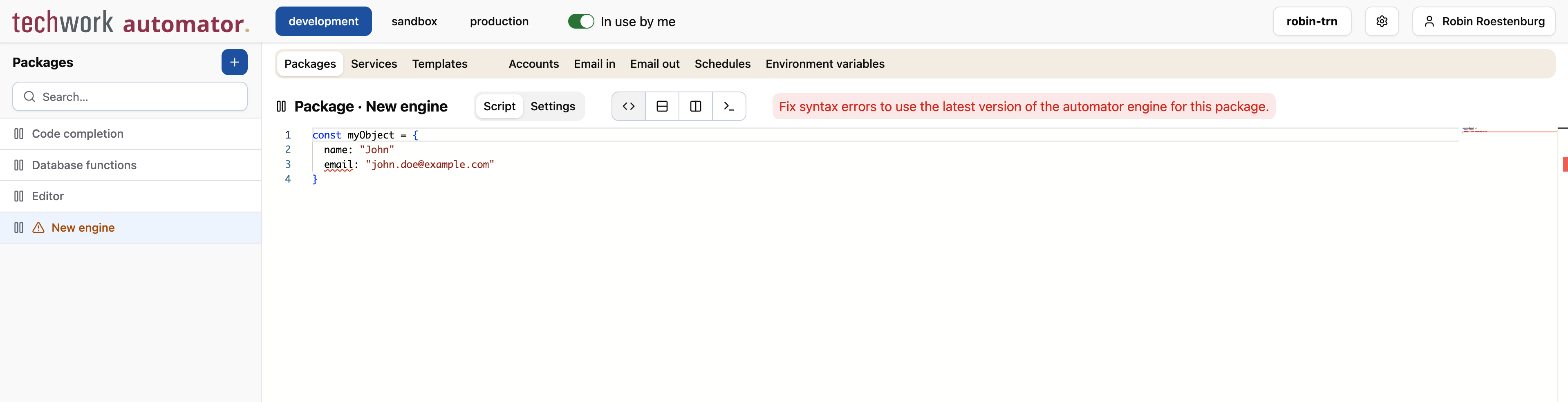
Packages flagged with errors will still work, as they continue to run on the old engine.
Once any issues are fixed, the package will automatically be marked as compatible with the new engine.
Timeline
The deployments of the release will be performed on
| Environment | Date |
|---|---|
| Demo | Friday, December 5th |
| Production | Thursday, December 11th |
| Production (automation.techwork.at) | Tuesday, December 16th |
The deployment of the Production environments will be conducted outside of office hours (Central European Time Zone).